Ah, the endless refrain.
Anytime a user with cluster experience is introduced to the gLite submission mechanism, some question of that order (although not always with a Scottish accent) is inevitable.
Pulling out my Human-Computer Interaction hat, I first came to the conclusion that, despite the occasional hints to the contrary, users are indeed Human. Hot on the heels of this realisation, a little bit of analysis of the gLite job submission and control tools indicated that, whilst very powerful, they work in a very different fashion to qsub.
It's not clear that qsub is in any sense a better iterface than the native command line tools, but it is clear that it is different.
The general idea was to resolve this difference by providing a different interface to grid job submission that was more familiar to users with existing experience of cluster computing. Wether it's going to be a better approch for a user without that experience is not clear; but it will make it simpler for users to use the Grid as an offload for a local cluster (i.e. use a cluster, when it's full, send the jobs to the Grid).
It turns out that the POSIX defintion of qsub isn't too far away, conceptually, from a Grid system, so all that was needed to act as an interface transalation layer was a relativly straightforward python script.
Rather than relay all the gory details here, let me direct you to the gqsub download page, with the manual.
For users on svr020, it's installed in the default path, so you can just use it. Note that to properly mirror the expected behaviour you probably want to make sure you run from within $CLUSTER_SHARED.
But to answer the original question: "Aye!"
Wednesday, September 09, 2009

Wednesday, September 02, 2009
who changed the job wrapper?
It was a long night yesterday as Graeme and I tried to fix our failing ops CE tests. It started on Monday night when SAM mysteriously started failing across all CE's at Glasgow and then Durham. The jobs appeared to run but just stayed at the running state until the WMS presumably killed them and eventually failed ops tests.
After investigation we noticed the 'cannot download .BrokerInfo from' error. A quick look on a node proved that it was owned in /tmp by another user rather than ops. A strace -f -p NNNN on the globus-url-copy command process showed the ops job was getting a permission denied when trying to create/copy the file. A look at past CE-sft-broker tests showed the a very clear difference, in fact there was a missing directory!
Removing this file allowed the ops test to run but why it was happening was still a mystery. A work around we have deployed is to create an additional directory in cp_1.sh i.e.
In the end we had to remove every blocking .BrokerInfo file from /tmp across the cluster and ops jobs started passing again. Further digging showed that the job wrapper has changed somewhere along the line. The old job wrapper had code like this in it.
This has now been removed and could be causing issues for other sites. Torque and SGE have functionality to ring-fence every job perhaps we would have been safer using it but running jobs from /tmp worked for 3 years. Not any more it would seem.
After investigation we noticed the 'cannot download .BrokerInfo from' error. A quick look on a node proved that it was owned in /tmp by another user rather than ops. A strace -f -p NNNN on the globus-url-copy command process showed the ops job was getting a permission denied when trying to create/copy the file. A look at past CE-sft-broker tests showed the a very clear difference, in fact there was a missing directory!
-rw-r--r-- 1 sgmops001 opssgm 3085 Aug 31 05:06 /tmp/https_3a_2f_2fwms208.cern.ch_3a9000_2fElSbIsNqd8SN69eCXPN1JA/.BrokerInfo
-rw-r--r-- 1 sgmops001 opssgm 2312 Sep 1 22:34 /tmp/.BrokerInfo
Removing this file allowed the ops test to run but why it was happening was still a mystery. A work around we have deployed is to create an additional directory in cp_1.sh i.e.
# Workaround for gLite WMS jobs, which don't cd into EDG_WL_SCRATCH...
echo In cp_1.sh
echo Making temporary work directory
templ=$TMPDIR/glite_run_XXXXXXXX
temp=$(mktemp -d $templ)
echo Changing work directory to $temp
cd $temp
In the end we had to remove every blocking .BrokerInfo file from /tmp across the cluster and ops jobs started passing again. Further digging showed that the job wrapper has changed somewhere along the line. The old job wrapper had code like this in it.
#if [ ${__job_type} -eq 0 -o ${__job_type} -eq 3 ]; then # normal or interactive
  newdir="${__jobid_to_filename}"
  mkdir ${newdir}
  cd ${newdir}
#elif [ ${__job_type} -eq 1 -o ${__job_type} -eq 2 ]; then # MPI (LSF or PBS)
#fi
This has now been removed and could be causing issues for other sites. Torque and SGE have functionality to ring-fence every job perhaps we would have been safer using it but running jobs from /tmp worked for 3 years. Not any more it would seem.
Friday, August 28, 2009
multiple WMS yaim problems
I was alerted today by our all new shiny jabber chatroom that we were publishing the same WMS via lcg-infosites. A quick check and there it was....
We recently moved to the latest WMS 3.1 release last week and I thought it may have been down to that. Upon further inspection I found the following GIP plugin:
which was publishing the wrong WMS.
In the file the problem was an obvious one:
This begs the questios, can YAIM deal with more than one WMS and if so how do you specify them. We had always gone for a quoted, space separated list in site-info.def
i.e.
but perhaps you can't do that any more and you need to override the WMS_HOST in a node specific way. Oh well.
-bash-3.00$ lcg-infosites --vo camont wms
https://svr022.gla.scotgrid.ac.uk:7443/glite_wms_wmproxy_server
https://svr022.gla.scotgrid.ac.uk:7443/glite_wms_wmproxy_server
https://lcgwms03.gridpp.rl.ac.uk:7443/glite_wms_wmproxy_server
https://wms00.hep.ph.ic.ac.uk:7443/glite_wms_wmproxy_server
We recently moved to the latest WMS 3.1 release last week and I thought it may have been down to that. Upon further inspection I found the following GIP plugin:
svr023:/opt/glite/etc/gip/provider# ./glite-info-provider-service-wmproxy-wrapper
which was publishing the wrong WMS.
GlueServiceEndpoint: https://svr022.gla.scotgrid.ac.uk:7443/glite_wms_wmproxy_server
In the file the problem was an obvious one:
export WMPROXY_HOST=svr022.gla.scotgrid.ac.uk svr023.gla.scotgrid.ac.uk
This begs the questios, can YAIM deal with more than one WMS and if so how do you specify them. We had always gone for a quoted, space separated list in site-info.def
i.e.
WMS_HOST="svr022.$MY_DOMAIN svr023.$MY_DOMAIN"
but perhaps you can't do that any more and you need to override the WMS_HOST in a node specific way. Oh well.
Thursday, August 13, 2009
Database backups, and lock time
Running a service creates data. Running a service for a long time creates lots of data.
In this case, the WMS and LB servers - we're sitting with about 18GB on each LB. This is not a problem - they're well indexed against the usual queries (out of the box, no fiddling required), so the old data isn't really noticed.
Until you take a backup.
Then, in order to get a consistant backup, it's locked for however long it takes to dump all that data. Which is about 45 minutes.
That's too long - it means we have some time when it's not available, it's getting noticed. So, how can we take a backup, without locking the database for so long?
There's various options for that, but the best looking (read: simplest) one is to enable binary logging in MySQL. Because the tables used are all InnoDB, which is transactional, this means that the backup can mark a position in the log, and then use that to _not_ backup operations that came after it - which results in a consistant backup. (If your using any MyISM tables, which are not transactional, you can't do this. Hence the use of LVM snapshoting or other exotic techniques).
This it really simple: in the my.cnf for each service, put 'log-bin' (without the quotes) in the [mysqld] section, and restart.
Binary logging is now enabled.
Next, to take a lock free [0] dump, add the --single-transaction flag to mysqldump.
The time taken to actually dump the data to disk won't change, but the database won't be locked for that time.
I did this for one of our LB servers, and then, while the dump was running, submited a job through the WMS. The job was assigned to the LB I was dumping, proving it can be written to, and has now completed, while the dump hasn't yet finished.
I've modified our usual backup script, so that if it detects the presence of /var/lib/mysql/${hostname}-bin.index, which is the index for the binary log, it automatically uses --single-transaction. That way, we still have a single backup script, but it does it the best way possible.
There are a couple of downsides to binary logging: It means the DB has to write more data to disk, so is about 1% slower. As the services are not running at 99% of the cpu, that's ok for us. It also means that each new piece of data is stored twice - once in the DB, and once in the log. Therefore the data storage need grows twice as fast - faster, if there are deletes to the database. I'm looking at an 18GB database - so this won't be a problem. Also, you can purge old logs, so I don't feel that this is a problem any more than the risk of the database expanding over the partition size is.
One thing I'll be looking at is useing the binary logs to take an incremental backup. That'll still not lock the database, but will also be much smaller and faster to take. That's a bit more complicated to arrange, so it'll go into the pile of 'ideas that look nice, but we don't think we need it yet'
As an aside, I think this has to go down as one of the more anticlimatic updates - it was simple, quick and just worked. Unless disk space is very tight, I can't see why one wouldn't enable it.
[0] Technically, it takes a lock, waits for all pending transactions to complete, marks the log position, then releases it. If you have slow operations in flight, it locks it for the duration of that operation.
In this case, the WMS and LB servers - we're sitting with about 18GB on each LB. This is not a problem - they're well indexed against the usual queries (out of the box, no fiddling required), so the old data isn't really noticed.
Until you take a backup.
Then, in order to get a consistant backup, it's locked for however long it takes to dump all that data. Which is about 45 minutes.
That's too long - it means we have some time when it's not available, it's getting noticed. So, how can we take a backup, without locking the database for so long?
There's various options for that, but the best looking (read: simplest) one is to enable binary logging in MySQL. Because the tables used are all InnoDB, which is transactional, this means that the backup can mark a position in the log, and then use that to _not_ backup operations that came after it - which results in a consistant backup. (If your using any MyISM tables, which are not transactional, you can't do this. Hence the use of LVM snapshoting or other exotic techniques).
This it really simple: in the my.cnf for each service, put 'log-bin' (without the quotes) in the [mysqld] section, and restart.
Binary logging is now enabled.
Next, to take a lock free [0] dump, add the --single-transaction flag to mysqldump.
The time taken to actually dump the data to disk won't change, but the database won't be locked for that time.
I did this for one of our LB servers, and then, while the dump was running, submited a job through the WMS. The job was assigned to the LB I was dumping, proving it can be written to, and has now completed, while the dump hasn't yet finished.
I've modified our usual backup script, so that if it detects the presence of /var/lib/mysql/${hostname}-bin.index, which is the index for the binary log, it automatically uses --single-transaction. That way, we still have a single backup script, but it does it the best way possible.
There are a couple of downsides to binary logging: It means the DB has to write more data to disk, so is about 1% slower. As the services are not running at 99% of the cpu, that's ok for us. It also means that each new piece of data is stored twice - once in the DB, and once in the log. Therefore the data storage need grows twice as fast - faster, if there are deletes to the database. I'm looking at an 18GB database - so this won't be a problem. Also, you can purge old logs, so I don't feel that this is a problem any more than the risk of the database expanding over the partition size is.
One thing I'll be looking at is useing the binary logs to take an incremental backup. That'll still not lock the database, but will also be much smaller and faster to take. That's a bit more complicated to arrange, so it'll go into the pile of 'ideas that look nice, but we don't think we need it yet'
As an aside, I think this has to go down as one of the more anticlimatic updates - it was simple, quick and just worked. Unless disk space is very tight, I can't see why one wouldn't enable it.
[0] Technically, it takes a lock, waits for all pending transactions to complete, marks the log position, then releases it. If you have slow operations in flight, it locks it for the duration of that operation.
Wednesday, August 12, 2009
getting ngs.ac.uk voms to work
I have been looking into an issue with the NGS as they are testing submission to the WMS. A ticket was raised as authentication failed on both our production CE's.
This was recreated with by created an ngs voms proxy.
Then with a direct globus-job-run:
This was recreated with by created an ngs voms proxy.
-bash-3.00$ voms-proxy-init -voms ngs.ac.uk --valid 240:00
Cannot find file or dir: /clusterhome/home/gla057/.glite/vomses
Enter GRID pass phrase:
Your identity: /C=UK/O=eScience/OU=Glasgow/L=Compserv/CN=douglas mcnab
Creating temporary proxy ................................................................ Done
Contacting  voms.ngs.ac.uk:15010 [/C=UK/O=eScience/OU=Manchester/L=MC/CN=voms.ngs.ac.uk/Email=support@grid-support.ac.uk] "ngs.ac.uk" Done

Warning: voms.ngs.ac.uk:15010: The validity of this VOMS AC in your proxy is shortened to 86400 seconds!

Creating proxy ............................................................................ Done
Your proxy is valid until Thu Aug 20 15:34:41 2009
Then with a direct globus-job-run:
-bash-3.00$ globus-job-run svr021.gla.scotgrid.ac.uk:2119/jobmanager-lcgpbs "/bin/hostname -f"
GRAM Job submission failed because authentication with the remote server failed (error code 7)
-bash-3.00$ globus-job-run svr026.gla.scotgrid.ac.uk:2119/jobmanager-lcgpbs "/bin/hostname -f"
GRAM Job submission failed because data transfer to the server failed (error code 10)


After much investigation, the long and short of it is that even with the correct entries in the groupmapfile and grid-mapfile the issue still occurred.  So I checked the VO certificate in /etc/grid-security/vomsdir.  This was fine, although there was also the /etc/grid-security/vomsdir/ngs.ac.uk/voms.ngs.ac.uk.lsc which may have been getting used before the VO certificate.  So to check I removed the /etc/grid-security/vomsdir/ngs.ac.uk/voms.ngs.ac.uk.lsc

Hey presto, submission worked:

-bash-3.00$ globus-job-run svr026.gla.scotgrid.ac.uk:2119/jobmanager-lcgpbs "/bin/hostname -f"
node295.beowulf.cluster
-bash-3.00$ globus-job-run svr021.gla.scotgrid.ac.uk:2119/jobmanager-lcgpbs "/bin/hostname -f"
node295.beowulf.cluster


So I think there may be an issue with ngs.ac.uk VO and the lsc file which looked correct.


svr026:/etc/grid-security/vomsdir/ngs.ac.uk# cat voms.ngs.ac.uk.lsc
/C=UK/O=eScience/OU=Manchester/L=MC/CN=voms.ngs.ac.uk/Email=support@grid-support.ac.uk
/C=UK/O=eScienceCA/OU=Authority/CN=CA


This will be an issue in the future on SL5 when VO certificates are deprecated for the lsc file.
the sl5 cluster grows
With a view to a full scale migration of Glasgow's worker nodes from sl4 to sl5 in September we have grown the size of our sl5 test cluster from 8 job slots to 112 job slots.
This is accessible for submission to the following queues:
dev010.gla.scotgrid.ac.uk:2119/jobmanager-lcgpbs-q30m
dev010.gla.scotgrid.ac.uk:2119/jobmanager-lcgpbs-q6h
dev010.gla.scotgrid.ac.uk:2119/jobmanager-lcgpbs-q1d
dev010.gla.scotgrid.ac.uk:2119/jobmanager-lcgpbs-q2d
dev010.gla.scotgrid.ac.uk:2119/jobmanager-lcgpbs-q3d
Currently the CE is only advertising and accepting submissions from Atlas and queues are open to sgm/prd/pil account but I am more than welcome to open them to anyone who wishes to test. Just drop me a line and I will create a test software area for any sgm account to install the application software via SL5 and allow access on the CE & Batch Sys for running the jobs.
So far things have been positive for Atlas with software kits now installing on SL5 and attempting to run kit validation. Currently we are failing KV tests, more precisely it failed in the digitization phase, so we then failed the reconstruction.
Nightly builds continue to be run so slowly but surely I'm sure these issues will be ironed out.
This is accessible for submission to the following queues:
dev010.gla.scotgrid.ac.uk:2119/jobmanager-lcgpbs-q30m
dev010.gla.scotgrid.ac.uk:2119/jobmanager-lcgpbs-q6h
dev010.gla.scotgrid.ac.uk:2119/jobmanager-lcgpbs-q1d
dev010.gla.scotgrid.ac.uk:2119/jobmanager-lcgpbs-q2d
dev010.gla.scotgrid.ac.uk:2119/jobmanager-lcgpbs-q3d
Currently the CE is only advertising and accepting submissions from Atlas and queues are open to sgm/prd/pil account but I am more than welcome to open them to anyone who wishes to test. Just drop me a line and I will create a test software area for any sgm account to install the application software via SL5 and allow access on the CE & Batch Sys for running the jobs.
So far things have been positive for Atlas with software kits now installing on SL5 and attempting to run kit validation. Currently we are failing KV tests, more precisely it failed in the digitization phase, so we then failed the reconstruction.
Nightly builds continue to be run so slowly but surely I'm sure these issues will be ironed out.
Tuesday, July 28, 2009
sl5 workers murmurings
Well we have had an sl5 test cluster for a while now but it has ever really seen any action other than the odd random hello world job from testing with cream and the like.
However, as the great sl5 debate raged on we put ourself forward as a test site for atlas along with Oxford, another site with an sl5 cluster for installs of SL4 and future SL5 versions of the atlas software.
However, in order to get my development CE visible to the real world I had to add it into our site bdii. This then attracted ops and dteam jobs as by default they were allowed through the CE. No great shakes and was actually good as it identified problems that had not been seen with simple hello world jobs from within ScotGrid.
The first mishap was a networking issue where the jobs could arrive but couldn't get their job wrapper and payload as most of our workers are NAT'd. Except my development one. A simple fix once we worked out what was wrong.
Two other problems were encountered. Firstly that CE-sft-lcg-rm-free test went into a warn state as the glite-WN package no longer pulls in ldapsearch. This is fixed by installing openldap-clients from sl-base.
Secondly, the many of the jobs that actually did run through the system encountered an error on CE-sft-brokerinfo with something like: error while loading shared libraries: libclassad_ns.so.0: cannot open shared object file: No such file or directory
After some googling, this bug is known about and has been fixed. The fix is adding gridpath_prepend "LD_LIBRARY_PATH" "/opt/classads/lib64/" to /etc/profile.d/grid-env.sh However, at Glasgow we control grid-env.sh though cfengine so I needed to make the appropriate change there too.
After going through this over the last few days I stumbled across Ewan's page as he had encountered the exact same issues. So take heed and do a spot of googling first!
There is also a metapackage available for Sl5 glite3.2 WN's this should hopefully contain all the required dependencies. This is located here. The gotcha with this is that you have to install it with yum localinstall or stick it in a yum repo as rpm -i doesn't work.
I have also just compared what is installed from this against the Atlas SL5 page and there were 4 packages missing: compat-gcc-34-g77, compat-libgcc-296, compat-libstdc++-296, ghostscript-8.15.2
So currently we have ops/dteam jobs running and passing. Atlas software jobs running, completing but not successfully working. More digging is required and I will keep you posted.
However, as the great sl5 debate raged on we put ourself forward as a test site for atlas along with Oxford, another site with an sl5 cluster for installs of SL4 and future SL5 versions of the atlas software.
However, in order to get my development CE visible to the real world I had to add it into our site bdii. This then attracted ops and dteam jobs as by default they were allowed through the CE. No great shakes and was actually good as it identified problems that had not been seen with simple hello world jobs from within ScotGrid.
The first mishap was a networking issue where the jobs could arrive but couldn't get their job wrapper and payload as most of our workers are NAT'd. Except my development one. A simple fix once we worked out what was wrong.
Two other problems were encountered. Firstly that CE-sft-lcg-rm-free test went into a warn state as the glite-WN package no longer pulls in ldapsearch. This is fixed by installing openldap-clients from sl-base.
Secondly, the many of the jobs that actually did run through the system encountered an error on CE-sft-brokerinfo with something like: error while loading shared libraries: libclassad_ns.so.0: cannot open shared object file: No such file or directory
After some googling, this bug is known about and has been fixed. The fix is adding gridpath_prepend "LD_LIBRARY_PATH" "/opt/classads/lib64/" to /etc/profile.d/grid-env.sh However, at Glasgow we control grid-env.sh though cfengine so I needed to make the appropriate change there too.
After going through this over the last few days I stumbled across Ewan's page as he had encountered the exact same issues. So take heed and do a spot of googling first!
There is also a metapackage available for Sl5 glite3.2 WN's this should hopefully contain all the required dependencies. This is located here. The gotcha with this is that you have to install it with yum localinstall or stick it in a yum repo as rpm -i doesn't work.
I have also just compared what is installed from this against the Atlas SL5 page and there were 4 packages missing: compat-gcc-34-g77, compat-libgcc-296, compat-libstdc++-296, ghostscript-8.15.2
So currently we have ops/dteam jobs running and passing. Atlas software jobs running, completing but not successfully working. More digging is required and I will keep you posted.
Wednesday, July 15, 2009
Rest in Peace gLite 3.0 ... finally
Today heralds a poignant day for the members of ScotGrid as we finally waved goodbye to the last gLite 3.0 Service (VOMS) and SL3.0 server in our cluster. The sombre mood was only broken by the arrival of the newborn gLite 3.1 VOMS server running on SL4. There was much flag waving and tears of joy as the first voms-proxy-init was issued and the shiny new web interface marvelled at.
Again Jpackage caused a little confusion as tomcat5 pulls jdk6 unless you exclude it or force an install of jdk5. This is preferred for all you firefox users out there. As if tomcat is running under jdk6 you have to remember to turn off TLS1.0 from the preferences menu in order to get the SSL handshaking to work or you get a nice fat error page! Not very useful for an admin screen let me tell you.
This upgrade was tried last year but was hampered by a lack of database migration scripts. This time around and with the help of these instructions it went swimmingly.
So although it was a sad day for gLite 3.0 and SL3 camp and a small victory for gLite 3.1/SL4, the war is not over. With gLite 3.2 and SL5 closing in on all fronts the battle is only just beginning.
p.s. we have an SL5 set-up so if you want to test, please let me know.
Again Jpackage caused a little confusion as tomcat5 pulls jdk6 unless you exclude it or force an install of jdk5. This is preferred for all you firefox users out there. As if tomcat is running under jdk6 you have to remember to turn off TLS1.0 from the preferences menu in order to get the SSL handshaking to work or you get a nice fat error page! Not very useful for an admin screen let me tell you.
This upgrade was tried last year but was hampered by a lack of database migration scripts. This time around and with the help of these instructions it went swimmingly.
So although it was a sad day for gLite 3.0 and SL3 camp and a small victory for gLite 3.1/SL4, the war is not over. With gLite 3.2 and SL5 closing in on all fronts the battle is only just beginning.
p.s. we have an SL5 set-up so if you want to test, please let me know.
Monday, July 06, 2009
Deflected Cosmic Rays...

This is the second short "when you're good..." post. During the RAL machine room move, we tested distributing ATLAS cosmics AOD and DPD data from CERN->GLASGOW->UK T2s. After some tweaking of the T2 FTS channels at CERN and tinkering in DDM this has worked a charm. Data distrubution in the UK has gone very well throughout the current combined cosmics data taking runs.
This is the first time that we tried circumventing the T1 for such an organised data distribution and it was a real success for the UK, ATLAS and Glasgow.
When you're good, you're Glasgow...

There hasn't been much time to write in the blog recently, STEP09 madness and all. However, it is wonderful to see that Glasgow was the top ATLAS T2 for analysis during the STEP09 challenges. We analysed more than 1.8B events, mostly through panda, with a 98% success rate.
We also took the largest fraction of data of any UK T2, 40%, and succeeded in getting all the data we were sent (we had little anxiety on the final weekend and want to increase our network heardroom for sure).
Sam and I wrote a full report on our experiences and how we used the opportunity to really probe the limits of the current cluster.
For the future, we really have to worry about how to maintain the i/o rate into the CPUs as the number of cores rises.
Installing (and fixing) a gLite Tar UI on SL5
First, a little background.
The UI machine is the gLite term for the machine from which you submit jobs (and monitor, receive output etc). This is analogous to the submit machine in Condor, and the head node for a local cluster - except that with the Grid, there is no reason that you can't submit on one UI, monitor from another and collect output on a third. No reason - except perhaps for keeping one's sanity.
Whilst most of the Grid servers are normally dedicated machines, occasionally given over to more than one Grid task, but only doing Grid tasks, the UI is a clear contender for being placed on machine that already have another purpose. In this instance, we have a group of users that have their own cluster, and occasionally off load some computations onto the Grid. It would be ideal if they could submit to either their local cluster or the Grid from the same machine. Cluster head nodes aren't too portable, so the obvious approach is to turn their existing head node into a gLite UI.
Fortunately, the gLite developers forsaw this possibility, and the UI package is available in a single blob that can be installed for an individual user. So that's what I've done - but there's a few caveats, and a couple of bugs to work around.
The tar UI I used was the gLite 3.2.1 production release. This is still early in the 3.2 life cycle, and not all services are available at 3.2, so there might be a few teething issues here, interacting with the older services. At Glasgow we don't have any 3.0 services, which is good, as they're really unsupported.
On to the install: Download the two tarballs, and unpack into a directory (why 2 tarballs, one tarball aught to be enough for anyone). I then promptly fell of the end of the documentation - which assumes that you already know a lot about gLite.
What you have to do it produce a file (the site-info.def) that gives some high level details of what the UI needs to know to work. This file can be created anywhere (I put it in the same directory I unpacked the tarballs into), as you always gives it's path to yaim, the tool that uses it.
The first thing you need to put in is the 4 paths listed on the wiki page. Then you need a few other things:
One thing I found I needed that wasn't documented was a SITE_NAME. I just put the hostname in there - it doesn't appear to be used, but yaim complains if it's not there.
The last thing needed is a list of the VO's to be supported on the UI. When deploying a tar UI this will normally be a very small list - one or two I would expect. Therefore I choose to place them inline. There is a mechanism to put the VO specification in a separate directory, which is used for shared UI machines.
Once that's all in place, it's time to run yaim to configure things (from the dir I unpacked into):
Last step - testing. First, load up the installed software:
lcg-infosites ... works
voms-proxy-* ... works
glite-wms-job-submit ... Boom!
I grabbed the RPM from http://linux1.fnal.gov/linux/scientific/5x/x86_64/SL/, and added it to $GLITE_EXTERNAL_ROOT/usr/lib64 by:
After chuntering away for a while,
Which is a known problem - the UI reports that collecting job output failed, but it does succeed. If you don't need to get the OutputSandbox from the job (e.g. it's all written to an SE), then this isn't a problem.
Now to post some bug reports on the tar UI package... (Update: This is now bug number 52825 for the configuration and bug 52832 for the ICU package)
The UI machine is the gLite term for the machine from which you submit jobs (and monitor, receive output etc). This is analogous to the submit machine in Condor, and the head node for a local cluster - except that with the Grid, there is no reason that you can't submit on one UI, monitor from another and collect output on a third. No reason - except perhaps for keeping one's sanity.
Whilst most of the Grid servers are normally dedicated machines, occasionally given over to more than one Grid task, but only doing Grid tasks, the UI is a clear contender for being placed on machine that already have another purpose. In this instance, we have a group of users that have their own cluster, and occasionally off load some computations onto the Grid. It would be ideal if they could submit to either their local cluster or the Grid from the same machine. Cluster head nodes aren't too portable, so the obvious approach is to turn their existing head node into a gLite UI.
Fortunately, the gLite developers forsaw this possibility, and the UI package is available in a single blob that can be installed for an individual user. So that's what I've done - but there's a few caveats, and a couple of bugs to work around.
The tar UI I used was the gLite 3.2.1 production release. This is still early in the 3.2 life cycle, and not all services are available at 3.2, so there might be a few teething issues here, interacting with the older services. At Glasgow we don't have any 3.0 services, which is good, as they're really unsupported.
On to the install: Download the two tarballs, and unpack into a directory (why 2 tarballs, one tarball aught to be enough for anyone). I then promptly fell of the end of the documentation - which assumes that you already know a lot about gLite.
What you have to do it produce a file (the site-info.def) that gives some high level details of what the UI needs to know to work. This file can be created anywhere (I put it in the same directory I unpacked the tarballs into), as you always gives it's path to yaim, the tool that uses it.
The first thing you need to put in is the 4 paths listed on the wiki page. Then you need a few other things:
BDII_HOST=svr019.gla.scotgrid.ac.ukThe BDII host is where the UI gets it's information from - this should be a 'top level' BDII, not a site BDII. None of have the faintest clue why it needs the MON host - that's something I'll dig into later. The PX host is the MyProxy server to use by default. That one should be good for anywhere in the UK. The WMS host is the replacement for the deprecated (but still needed) RB hosts, and points to the WMS to be used for submission (by default).
MON_HOST=svr019.gla.scotgrid.ac.uk
PX_HOST=lcgrbp01.gridpp.rl.ac.uk
WMS_HOST="svr022.gla.scotgrid.ac.uk svr023.gla.scotgrid.ac.uk"
RB_HOST=$WMS_HOST
One thing I found I needed that wasn't documented was a SITE_NAME. I just put the hostname in there - it doesn't appear to be used, but yaim complains if it's not there.
The last thing needed is a list of the VO's to be supported on the UI. When deploying a tar UI this will normally be a very small list - one or two I would expect. Therefore I choose to place them inline. There is a mechanism to put the VO specification in a separate directory, which is used for shared UI machines.
VOS="vo.scotgrid.ac.uk"VO specification is in two parts - first we have to list the VO's (space separated list), and then , for each VO, give the VOMS server that defines the membership of the VO, and the certificate DN for the VOMS server. Note that the vo name gets translated to UPPER CASE and all the dots in it become underscores (a fact that's somewhat underdocumented, and results in a complaint about a syntactically invalid site-info.def, and no other message ...)
VO_VO_SCOTGRID_AC_UK_VOMS_SERVERS="vomss://svr029.gla.scotgrid.ac.uk:8443/voms/vo.scotgrid.ac.uk"
VO_VO_SCOTGRID_AC_UK_VOMSES="'vo.scotgrid.ac.uk svr029.gla.scotgrid.ac.uk 15000 /C=UK/O=eScience/OU=Glasgow/L=Compserv/CN=svr029.gla.scotgrid.ac.uk/Email=grid-certificate@physics.gla.ac.uk vo.scotgrid.ac.uk'"
VO_VO_SCOTGRID_AC_UK_VOMS_CA_DN="'/C=UK/O=eScienceCA/OU=Authority/CN=UK e-Science CA'"
Once that's all in place, it's time to run yaim to configure things (from the dir I unpacked into):
./glite/yaim/bin/yaim -c -s site-info.def -n UI_TARSlight problem with installing certificates: By default these go into /etc/grid-security/certificates, but I'm not running as root. As a local user (for the initial testing), I need to tell yaim where to put them instead. In the site-info.def:
X509_CERT_DIR=${INSTALL_ROOT}/certificates
and make that directory, and re-run the yaim command. Chuntering along for a bit, and then finished with no errors - I did get a couple of warnings, but nothing that looked like a problem in this case.Last step - testing. First, load up the installed software:
$GLITE_EXTERNAL_ROOT/etc/profile.d/grid-env.shand install my certificate on there.
lcg-infosites ... works
voms-proxy-* ... works
glite-wms-job-submit ... Boom!
glite-wms-job-submit: error while loading shared libraries: libboost_filesystem.so.2: wrong ELF class: ELFCLASS32Hrm. Looks like a 32/64 bit problem. Some pokage later, and it turns out that the shell setup script supplied points only to the $GLITE_EXTERNAL_ROOT/usr/lib directory - and not the lib64, containing the needed libs. A quick hack onto the grid-env.sh, and that's rectified. Now:
[scotgrid@golem ~]$ glite-wms-job-submit -a minimaltest.jdlThis turns out to be the International Components for Unicode (at least, I think so). The particularly interesting point about this is that the only references I can find to these libraries on SL include one from this very blog and they are all about Adobe Acrobat Reader... because that's the most common software that uses it.
glite-wms-job-submit: error while loading shared libraries: libicui18n.so.36: cannot open shared object file: No such file or directory
I grabbed the RPM from http://linux1.fnal.gov/linux/scientific/5x/x86_64/SL/, and added it to $GLITE_EXTERNAL_ROOT/usr/lib64 by:
cd $GLITE_EXTERNAL_ROOTAnd, finally:
rpm2cpio libicu-3.6-5.11.2.x86_64.rpm | cpio -i
[scotgrid@golem ~]$ glite-wms-job-submit -a minimaltest.jdlJobs submitted from a pure 64 bit SL5 system. Note that the separator character has changed, from being a line of '*' to a line of '='.
Connecting to the service https://svr022.gla.scotgrid.ac.uk:7443/glite_wms_wmproxy_server
====================== glite-wms-job-submit Success ======================
The job has been successfully submitted to the WMProxy
Your job identifier is:
https://svr023.gla.scotgrid.ac.uk:9000/VW96yirZ4gG6jVXjx9UwBg
==========================================================================
After chuntering away for a while,
[scotgrid@golem ~]$ glite-wms-job-output https://svr023.gla.scotgrid.ac.uk:9000/VW96yirZ4gG6jVXjx9UwBg

Connecting to the service https://svr022.gla.scotgrid.ac.uk:7443/glite_wms_wmproxy_server

Error - Operation Failed
Unable to retrieve the output

[scotgrid@golem ~]$ cd /tmp/jobOutput/
[scotgrid@golem jobOutput]$ ls
scotgrid_VW96yirZ4gG6jVXjx9UwBg
Which is a known problem - the UI reports that collecting job output failed, but it does succeed. If you don't need to get the OutputSandbox from the job (e.g. it's all written to an SE), then this isn't a problem.
Now to post some bug reports on the tar UI package... (Update: This is now bug number 52825 for the configuration and bug 52832 for the ICU package)
Thursday, July 02, 2009
NGS and EGEE Software Tags
After I reinstalled svr021 (CE) we lost some good work carried out by Andy Elwell to allow NGS software tags to be published along side glite ones through the BDII. I found the original post and re-installed the patch.
Wouldn't it be nice if this was available directly from glite well it is now!
The new script will correctly report information from the ngs-uee-gip-plugin plug-in that the NGS sites use to report applications installed under /usr/ngs.
Jason created the patch, I tested and Laurence Field at CERN has kindly merged the changes into gLite proper and has made an updated RPM available from...
http://etics-repository.cern.ch:8080/repository/download/registered/org.glite/glite-info-generic/2.0.2/noarch/glite-info-generic-2.0.2-5.noarch.rpm
so if you are an NGS affiliate site who runs a glite stack, the rpm above will allow both sets of software tags to be advertised through your BDII. If you try to install ngs-uee-gip-plugin without the new version of glite-info-generic your ngs tags will replace your glite software tags or vice-versa. Now they happily merge rather than replace.
Wouldn't it be nice if this was available directly from glite well it is now!
The new script will correctly report information from the ngs-uee-gip-plugin plug-in that the NGS sites use to report applications installed under /usr/ngs.
Jason created the patch, I tested and Laurence Field at CERN has kindly merged the changes into gLite proper and has made an updated RPM available from...
http://etics-repository.cern.ch:8080/repository/download/registered/org.glite/glite-info-generic/2.0.2/noarch/glite-info-generic-2.0.2-5.noarch.rpm
so if you are an NGS affiliate site who runs a glite stack, the rpm above will allow both sets of software tags to be advertised through your BDII. If you try to install ngs-uee-gip-plugin without the new version of glite-info-generic your ngs tags will replace your glite software tags or vice-versa. Now they happily merge rather than replace.
MPI really kicks off at Glasgow
It seems there is a real appetite for MPI codes on ScotGrid at the moment. First off there was Optics running Lumerical's FDTD FDTD and now we have UKQCD running Chroma. Next up is an MPICH install of CASTEP for Solid State Physics. So nearly 2 years after it was first enabled at ScotGrid it is finally seeing it's first tour of duty. Better late than never. We still have some kinks to iron out such as better scheduling of MPI on our cluster but early results from benchmarking are promising even for an ethernet based MPI solution!
Monday, June 22, 2009
Bright and creamy MPI
So, as of the last time MPI was mentioned, it was working. Well, it looks like it wasn't getting much use, because over the year or so, it seems to have fallen into disrepair.
We'd ended up with MPIexec not being installed on the worker nodes, which was blocking the setup of the processor nodes. This even prevented a single process MPI job from running, because that still used MPIexec. In the end, this particular problem was resolved by installing it again (after some careful ramp up to make sure it didn't knock anything else off).
The phrasing of that last sentence is deliberately precise: it turned out that there was another problem lurking in the swamp water that is middleware. In order to test the install of MPIexec, I grabbed a worker node that was out of production for the HEP-SPEC benchmarking. This had, of course, got a new install of the worker node packages, in order to give a consistent platform with other sites.
Experienced Grid hands might just be able to predict what comes next...
After installing MPIexec on that node, and then restricting that node to just our test VO (Maui is awesome for this sort of tweak), we noticed that it wasn't accepting any jobs. Specificially, jobs were arriving, but failing immediatly. Cue finger pointing at MPIexec, and removal of it.
Didn't help.
In the end, Mike resolved this one: An incompatabiliy between the Torque server, and the torque clients with the new Worker node package. Once that was resolved, MPIexec back on, and it was all working fine. Roll out across the cluster, finger crossing and no problems: MPI back in business.
The next step was to actually run MPI jobs - took a couple of attempts with mpi-start, but got there. One problem we have is that the WMS will not send MPI jobs to a site that declares that it is 'torque'. It will only send jobs to sites that declare that declare the LRMS to be 'pbs' or 'lsf'. Given that torque identical to PBS (and more common!), that's a bit silly. This is a known bug, that's been open for 4 years, with a patch available, this is a bit rediculous.
There is a work around, where you can tell the WMS to use a specific LRMS, but you have to also specifiy the target CE - which kind of defeats much of the point of the WMS...
Fortunatly, using the CREAM CE sidesteps most of these issues. Alas, the latest WMS package doesn't work properly with CREAM CE's, so we had to mark our CREAM CE to be 'Special', not 'Production' (effectivly disableing WMS submission to CREAM). Not too big a problem, as we can do direct submission to the CREAM CE for our specific use case, but it's not great in the long term.
Our specific use case is the Lumerical FDTD package, which is installed and working at Glasgow, and has been used by end users. There's some trickyness involed in this, as we're not passing in source code, as mpi-start expects, so I'll write up a bit more how it all fits together at some point.
There might be some Maui fiddling in the imminent future, to assist it to pack MPI jobs on to as few physical machines as possible. The key point is that MPI has been used by end users at Glasgow, which bodes well.
We'd ended up with MPIexec not being installed on the worker nodes, which was blocking the setup of the processor nodes. This even prevented a single process MPI job from running, because that still used MPIexec. In the end, this particular problem was resolved by installing it again (after some careful ramp up to make sure it didn't knock anything else off).
The phrasing of that last sentence is deliberately precise: it turned out that there was another problem lurking in the swamp water that is middleware. In order to test the install of MPIexec, I grabbed a worker node that was out of production for the HEP-SPEC benchmarking. This had, of course, got a new install of the worker node packages, in order to give a consistent platform with other sites.
Experienced Grid hands might just be able to predict what comes next...
After installing MPIexec on that node, and then restricting that node to just our test VO (Maui is awesome for this sort of tweak), we noticed that it wasn't accepting any jobs. Specificially, jobs were arriving, but failing immediatly. Cue finger pointing at MPIexec, and removal of it.
Didn't help.
In the end, Mike resolved this one: An incompatabiliy between the Torque server, and the torque clients with the new Worker node package. Once that was resolved, MPIexec back on, and it was all working fine. Roll out across the cluster, finger crossing and no problems: MPI back in business.
The next step was to actually run MPI jobs - took a couple of attempts with mpi-start, but got there. One problem we have is that the WMS will not send MPI jobs to a site that declares that it is 'torque'. It will only send jobs to sites that declare that declare the LRMS to be 'pbs' or 'lsf'. Given that torque identical to PBS (and more common!), that's a bit silly. This is a known bug, that's been open for 4 years, with a patch available, this is a bit rediculous.
There is a work around, where you can tell the WMS to use a specific LRMS, but you have to also specifiy the target CE - which kind of defeats much of the point of the WMS...
Fortunatly, using the CREAM CE sidesteps most of these issues. Alas, the latest WMS package doesn't work properly with CREAM CE's, so we had to mark our CREAM CE to be 'Special', not 'Production' (effectivly disableing WMS submission to CREAM). Not too big a problem, as we can do direct submission to the CREAM CE for our specific use case, but it's not great in the long term.
Our specific use case is the Lumerical FDTD package, which is installed and working at Glasgow, and has been used by end users. There's some trickyness involed in this, as we're not passing in source code, as mpi-start expects, so I'll write up a bit more how it all fits together at some point.
There might be some Maui fiddling in the imminent future, to assist it to pack MPI jobs on to as few physical machines as possible. The key point is that MPI has been used by end users at Glasgow, which bodes well.
Monday, May 18, 2009
Cream in Action : Local Users & Glexec
At Glasgow have now rolled out a production Cream instance open to only dteam, ops, vo.scotgrid.ac.uk and our newly created vo.optics.ac.uk (to support optics user community and Lumerical's FDTD software). This is svr014 and it looks like CMS are now looking for production Cream instances too. So it may see further action.
One thing that we have done in the past with our local user community is tweak LCMAPS such that specific local users do not use a pool account for their jobs. This was documented in a previous blog post. With cream I thought we should at least attempt to follow the same model for local users.
However, Cream uses glexec with LCMAPS and unfortunately the current version of glexec that comes with the cream CE to map to local users does not work correctly. Thanks to Oscar and Mischa at Nikhef for getting me the right versions of glexec. Here are the versions required to do the following mapping in LCMAPS:
these are all in pre-production, so should be out soon in a full cream update.
When these rpm's are installed take care to set the setuid bits as these are lost during the update.
With these installed the following lcmaps policy can be added/amended to
This policy when moved to be executed first in the list will map any users in the
This 'tweak' seems to work but as I discovered Cream does not really like you doing this and you have to be very careful about the primary group of the user that glexec transforms you to. In Cream
Note that these are all owned by the tomcat user and the group is in effect the grid group. So when not using any customised local users when glexec maps you via your voms extension e.g. vo.scotgrid.ac.uk to scotg001 a member of the scotg group and you end up in the scotg directory. Also note the permission of the directory named after your proxy: 700. Meaning only no group read/write permissions on the files contained within the directories.
When using a local user 'tweaked' LCMAPS and my vo.scotgrid.ac.uk proxy gla057/scotg it attempts to stage the input files to scotg but fails like this:
This was very confusing at first but when you actually try to do a globus-url-copy or an uberftp which I presume was the CREAM UI is trying to do. You see that it is in fact using your proxy on the client side to map you to a pool account and gsiftp the files to CREAM. From what I could see it was using scotg094. On the server side after applying the local user 'tweak' what it meant was that glexec was actually interacting with cream to build the sandbox directories with a different user. This interaction can be seen here in
So the gsiftp could not write as the user was no longer the pool user and there are no group write permission on the directories contained within the sandbox. I was able to get round this by relaxing the permissions from 700 to 770 so that members of the same group could effectively read/write/execute to the sandbox directory by patching
Now this all worked because my local user gla057 still has a primary group that matches the pool accounts primary group of scotg. However, we have other local users that have a unix group glee. This does not match any of primary groups of the accounts pool available to the VO that they are a member of: nanocmos. I thought the quick win would be to add the nano pool accounts to have an additional group of glee.
But it turns out that globus-url-copy and uberftp etc do not understand the concept of secondary groups when gsiftp'ing. So no luck there.
I think the only possible solution is to create another local VO which can be supported properly through the middleware. A hassle but less of a hack.
One thing that we have done in the past with our local user community is tweak LCMAPS such that specific local users do not use a pool account for their jobs. This was documented in a previous blog post. With cream I thought we should at least attempt to follow the same model for local users.
However, Cream uses glexec with LCMAPS and unfortunately the current version of glexec that comes with the cream CE to map to local users does not work correctly. Thanks to Oscar and Mischa at Nikhef for getting me the right versions of glexec. Here are the versions required to do the following mapping in LCMAPS:
glite-security-glexec-0.6.8-2.slc4.i386.rpm
glite-security-lcmaps-1.4.7-1.slc4.i386.rpm
glite-security-lcmaps-plugins-basic-1.3.10-2.slc4.i386.rpm
these are all in pre-production, so should be out soon in a full cream update.
When these rpm's are installed take care to set the setuid bits as these are lost during the update.
-rwsr-sr-x 1 root glexec 65620 Apr 30 15:56 /opt/glite/sbin/glexecWith these installed the following lcmaps policy can be added/amended to
/opt/glite/etc/lcmaps/lcmaps-suexec.db
localuseraccount = "lcmaps_localuseraccount.mod -gridmapfile /usr/local/etc/grid-mapfile-local"

glexec_get_account:
proxycheck -> localuseraccount
localuseraccount -> good | vomslocalgroup
vomslocalgroup -> vomspoolaccount | poolaccount
vomspoolaccount -> good | vomslocalaccount
vomslocalaccount -> good | poolaccount
poolaccount -> good
This policy when moved to be executed first in the list will map any users in the
grid-mapfile-local to their local user accounts rather than a pool account.This 'tweak' seems to work but as I discovered Cream does not really like you doing this and you have to be very careful about the primary group of the user that glexec transforms you to. In Cream
/opt/glite/var/cream_sandbox is the directory where the sandbox files are staged on the CREAM CE. This contains a set of directories, created I believe by yaim, named after each of the user/role combination. For example
drwxrwx---   2 tomcat scotg      4096 Apr 28 12:42 scotg
drwxrwx---   2 tomcat scotgprd   4096 Apr 28 12:42 scotgprd
drwxrwx---   2 tomcat scotgsgm   4096 Apr 28 12:42 scotgsgm

dev011:/opt/glite/var/cream_sandbox/scotg# ls -la
total 24
drwxrwx---   3 tomcat   scotg  4096 May 18 14:14 .
drwxrwxr-x  81 tomcat   tomcat 4096 May 18 14:10 ..
drwx------   3 scotg094 scotg  4096 May 18 14:14 C_UK_O_eScience_OU_Glasgow_L_Compserv_CN_douglas_mcnab_vo.scotgrid.ac.uk_Role_NULL_Capability_NULL
Note that these are all owned by the tomcat user and the group is in effect the grid group. So when not using any customised local users when glexec maps you via your voms extension e.g. vo.scotgrid.ac.uk to scotg001 a member of the scotg group and you end up in the scotg directory. Also note the permission of the directory named after your proxy: 700. Meaning only no group read/write permissions on the files contained within the directories.
When using a local user 'tweaked' LCMAPS and my vo.scotgrid.ac.uk proxy gla057/scotg it attempts to stage the input files to scotg but fails like this:
2009-05-18 14:20:18,983 INFO - Sending [/clusterhome/home/gla057/lumerical/paralleltest.fsp] to [gsiftp://dev011.gla.scotgrid.ac.uk/opt/glite/var/cream_sandbox/scotg/C_UK_O_eScience_OU_Glasgow_L_Compserv_CN_douglas_mcnab_vo.scotgrid.ac.uk_Role_NULL_Capability_NULL/CREAM679019987/ISB/paralleltest.fsp]...
2009-05-18 14:20:18,984 DEBUG - ftpclient::put() - dst=[gsiftp://dev011.gla.scotgrid.ac.uk/opt/glite/var/cream_sandbox/scotg/C_UK_O_eScience_OU_Glasgow_L_Compserv_CN_douglas_mcnab_vo.scotgrid.ac.uk_Role_NULL_Capability_NULL/CREAM679019987/ISB/paralleltest.fsp]
2009-05-18 14:20:19,761 ERROR - data_cb() - globus_ftp_client: the server responded with an error
2009-05-18 14:20:19,761 ERROR - done_cb() - globus_ftp_client: the server responded with an error
2009-05-18 14:20:19,764 FATAL - Error sending file [/clusterhome/home/gla057/lumerical/paralleltest.fsp]
This was very confusing at first but when you actually try to do a globus-url-copy or an uberftp which I presume was the CREAM UI is trying to do. You see that it is in fact using your proxy on the client side to map you to a pool account and gsiftp the files to CREAM. From what I could see it was using scotg094. On the server side after applying the local user 'tweak' what it meant was that glexec was actually interacting with cream to build the sandbox directories with a different user. This interaction can be seen here in
/opt/glite/etc/glite-ce-cream/cream-glexec.sh
drwx------ 3 gla057 scotg 4096 May 18 14:20 C_UK_O_eScience_OU_Glasgow_L_Compserv_CN_douglas_mcnab_vo.scotgrid.ac.uk_Role_NULL_Capability_NULL
So the gsiftp could not write as the user was no longer the pool user and there are no group write permission on the directories contained within the sandbox. I was able to get round this by relaxing the permissions from 700 to 770 so that members of the same group could effectively read/write/execute to the sandbox directory by patching
/opt/glite/etc/glite-ce-cream/cream-glexec.sh. Although I am not entirely happy about this as this could be a security concern. Now this all worked because my local user gla057 still has a primary group that matches the pool accounts primary group of scotg. However, we have other local users that have a unix group glee. This does not match any of primary groups of the accounts pool available to the VO that they are a member of: nanocmos. I thought the quick win would be to add the nano pool accounts to have an additional group of glee.
But it turns out that globus-url-copy and uberftp etc do not understand the concept of secondary groups when gsiftp'ing. So no luck there.
I think the only possible solution is to create another local VO which can be supported properly through the middleware. A hassle but less of a hack.
Cream in Action : Consumable Resources
I am not sure if you remember this previous post but I said stated that some experimenting was required in order to get consumable resources working with the glite middleware stack.
The reason for this requirement was that for some licensed software (FDTD by Lumerical) that we have installed on our cluster. The documented way to 'consume' a license is to qsub directly to the batch system and pass #software -l FDTD. Not much good when you have an lcg-CE in front of it! After some further investigation it appeared that the only way to get this information through the lcg-CE would be to 'patch' the job manager, so that it added this into the generated PBS script based on RSL that could be sent to it. Unfortunately, from what I could see the RSL schema did not have anything that could be used to fit this software attribute out of the box and patching the job manager was not an ideal going forward.
This looked to only leave the option of creating a specific queue for the software and only allowing members of the new VO to run in this queue. However, it finally struck me to look at the capabilities of cream. With the help of Massimo Sgaravatto and David Rebatto I was able to pass this batch system requirement through the wms, cream and finally end up on the batch system correctly with very little customisation.
in summary:
- set in your JDL (the one used for the glite-ce-job-submit command):
- Create in the CREAM CE node the file:
/opt/glite/bin/pbs_local_submit_attributes.sh
which has to properly manage the added attribute ("software" in your
case). E.g. for this specific use case it could be something like:
So for any special CE requirements your can handle them by adding them into the
As for WMS submission, well when the ice component worked if only for a brief time...
the CErequirements attribute in the JDL sent to CREAM is supposed to be filled by the WMS. This value should basically take into account what it is specified in the Requirements attribute of the JDL and the value specified as CeForwardParameters in the WMS configuration file.
For example, if in your JDL you have:
and if the conf file of the WMS there is:
CeForwardParameters = {"GlueHostMainMemoryVirtualSize","GlueHostMainMemoryRAMSize","GlueCEPolicyMaxCPUTime"};
The JDL sent by ICE to CREAM should be:
Unfortunately this doesn't work because of this bug
What you can do now, as a workaround, is specify in the JDL used in the submission to the WMS this cerequirements, e.g.:
This will be forwarded as it is to CREAM.
This has now been written up in more detail on the cream page.
So to sum it up: Thumbs up for cream.
The reason for this requirement was that for some licensed software (FDTD by Lumerical) that we have installed on our cluster. The documented way to 'consume' a license is to qsub directly to the batch system and pass #software -l FDTD. Not much good when you have an lcg-CE in front of it! After some further investigation it appeared that the only way to get this information through the lcg-CE would be to 'patch' the job manager, so that it added this into the generated PBS script based on RSL that could be sent to it. Unfortunately, from what I could see the RSL schema did not have anything that could be used to fit this software attribute out of the box and patching the job manager was not an ideal going forward.
This looked to only leave the option of creating a specific queue for the software and only allowing members of the new VO to run in this queue. However, it finally struck me to look at the capabilities of cream. With the help of Massimo Sgaravatto and David Rebatto I was able to pass this batch system requirement through the wms, cream and finally end up on the batch system correctly with very little customisation.
in summary:
- set in your JDL (the one used for the glite-ce-job-submit command):
cerequirements = "software==\"FDTD\"";- Create in the CREAM CE node the file:
/opt/glite/bin/pbs_local_submit_attributes.sh
which has to properly manage the added attribute ("software" in your
case). E.g. for this specific use case it could be something like:
#!/bin/sh
if [ "$software" == "FDTD" ]; then
 echo "#PBS -l software=FDTD"
fi
So for any special CE requirements your can handle them by adding them into the
submit_attributes.sh file. Cream also has similar capabilities for other batch systems.As for WMS submission, well when the ice component worked if only for a brief time...
the CErequirements attribute in the JDL sent to CREAM is supposed to be filled by the WMS. This value should basically take into account what it is specified in the Requirements attribute of the JDL and the value specified as CeForwardParameters in the WMS configuration file.
For example, if in your JDL you have:
Requirements= "other.GlueHostMainMemoryRAMSize > 100 && other.GlueCEImplementationName==\"CREAM\"";and if the conf file of the WMS there is:
CeForwardParameters = {"GlueHostMainMemoryVirtualSize","GlueHostMainMemoryRAMSize","GlueCEPolicyMaxCPUTime"};
The JDL sent by ICE to CREAM should be:
CeRequirements= "other.GlueHostMainMemoryRAMSize > 100";Unfortunately this doesn't work because of this bug
What you can do now, as a workaround, is specify in the JDL used in the submission to the WMS this cerequirements, e.g.:
cerequirements = "software==\"FDTD\"";This will be forwarded as it is to CREAM.
This has now been written up in more detail on the cream page.
So to sum it up: Thumbs up for cream.
Saturday, May 09, 2009
Oh my gosh... it's users...
I had been aware of a steady increase in the number of ATLAS user jobs on the cluster in the last few months, which I was delighted to see. I decided to quantify this by querying our accounting database and the users really have arrived.
User jobs since April 1 have consumed 867k hours of wallclock and 686k hours of CPU (80% efficient), c.f. production numbers of 1981k wallclock and 1867k CPU (94% efficient). This means ATLAS users are now consuming 30% of the ATLAS walltime on the cluster.
We've had 235 unique ATLAS users since April and 46 have used more than 1000 hours of wallclock time.
User jobs since April 1 have consumed 867k hours of wallclock and 686k hours of CPU (80% efficient), c.f. production numbers of 1981k wallclock and 1867k CPU (94% efficient). This means ATLAS users are now consuming 30% of the ATLAS walltime on the cluster.
We've had 235 unique ATLAS users since April and 46 have used more than 1000 hours of wallclock time.
Friday, May 08, 2009
ScotGrid Updates
Glasgow:
- Mike enabled pilot roles for both ATLAS and LHCb. He will also work on a parser which digests torque logs and gives the accounting figures in HEP-SPEC2006.
- Dug has been tracking down problems and discovering more about the LCG-CEs failure modes than he ever wanted to know (double job running from comms problems all down the line between ganga, wms, CE and batch system).
- Stuart has been optimising the cleanup of shared disk areas, which were cramping our style by sending the main nfs server into serious i/o wait for 20 hours in the day.
- Sam has installed a small test xrootd server - hopefully I will start running some analysis jobs against it soon to test it out.
- We reviewed our fairshares in advance of STEP09 to make sure each group was getting their due. We dropped most of our opportunistic VOs down to 1%.
- I discovered a jolly wheeze in Maui to use QOS to help bind the three different ATLAS fairshares into one QOS unit, with its own fairshare. This gives ATLAS sub-groups a fairshare advantage if the total ATLAS usage is under the total ATLAS target. Goes like this:
GROUPCFG[atlas] FSTARGET=10 MAXPROC=2000,2000 QDEF=atlasDurham:
GROUPCFG[atlasprd] FSTARGET=21 MAXPROC=2000,2000 QDEF=atlas
GROUPCFG[atlaspil] FSTARGET=11 MAXPROC=2000,2000 QDEF=atlas
QOSCFG[atlas] FSTARGET=42+
- Running well, but we decided not to implement the ATLAS pilot role (no intention to really support ATLAS analysis - they don't have the disk) and the LHCb pilot role is optional.
- Did the HEP-SPEC2006 benchmark on their nodes and got 67.82 for their Xeon L5430s (2.66GHz).
- To ward off less efficient user jobs we deleted ATLAS AOD - should see them only doing production for now.
- APEL publishing problem fixed.
- Steve plans to replace the ancient gLite 3.0 CE with a spiffy new gLite 3.1 one.
Monday, April 20, 2009
Victim of our own success
I was wondering why Glasgow was not getting more activated ATLAS production jobs and eventually tracked it down to the fact that our cache disk area, ATLASPRODDISK, was almost full with only 170GB free space left. Panda was very sensibly not sending us more jobs until we had somewhere to put the outputs!
I quick whirl with dpm-updatespace and I increased PRODDISK from 2TB to 5TB, which should see us good.
I also discovered that Durham was missing some ATLAS releases, which was why they were missing out on ATLAS jobs today - installations now triggered.
I quick whirl with dpm-updatespace and I increased PRODDISK from 2TB to 5TB, which should see us good.
I also discovered that Durham was missing some ATLAS releases, which was why they were missing out on ATLAS jobs today - installations now triggered.
Thursday, April 16, 2009
activiting a VO on a WMS in four easy steps
We have been asked to add support for the camont VO to our WMS.
Since we only support a limited number of VO through our WMS, here is the recipe for adding a new one in the smallest number of steps.
1. edit the following file vim /opt/glite/yaim/etc/services/glite-wms
2. /opt/glite/yaim/bin/yaim -r -s /opt/glite/yaim/etc/site-info.def -n glite-WMS -f config_vomsmap
3. /opt/glite/yaim/bin/yaim -r -s /opt/glite/yaim/etc/site-info.def -n glite-WMS -f config_vomses
4. /opt/glite/yaim/bin/yaim -r -s /opt/glite/yaim/etc/site-info.def -n glite-WMS -f config_glite_wms
Since we only support a limited number of VO through our WMS, here is the recipe for adding a new one in the smallest number of steps.
1. edit the following file vim /opt/glite/yaim/etc/services/glite-wms
2. /opt/glite/yaim/bin/yaim -r -s /opt/glite/yaim/etc/site-info.def -n glite-WMS -f config_vomsmap
3. /opt/glite/yaim/bin/yaim -r -s /opt/glite/yaim/etc/site-info.def -n glite-WMS -f config_vomses
4. /opt/glite/yaim/bin/yaim -r -s /opt/glite/yaim/etc/site-info.def -n glite-WMS -f config_glite_wms
Wednesday, April 08, 2009
torque, consumable resources and glite
I finally got round to install a torque/maui instance on my pre-production cluster at Glasgow. This completes the mini cluster as I had previously installed an SL5 gLite3.2 worker node before going to GridPP collaboration meeting. I will update this blog with a wiki page on what was involved with Torque but there was quite a few gotchas involved in getting it running especially when you have to reconfigure all your nodes from using the production batch system but I got there in the end.
This will be a great help to us for experimentation as we have installed some optics software called Lumerical on our cluster that requires licensing similar to MatLab. This actually works quite nicely when you follow the docs and all you need is to amend your qsub to use a consumable resource ie. a licence. However, it doesn't work so well when you are using EGEE middleware! As now you have three levels of indirection... wms(jdl), lcg-ce(rsl)/cream, torque(qsub). So I think we may need to hack the job manager on our ce's in order to hand craft the consumable resource. This then begs the question, do you do it based on the VO? Meaning one VO per software application - not very flexible or do you do it based on something else that you pass from the JDL, or a combination of both? Some experimenting required.
This will be a great help to us for experimentation as we have installed some optics software called Lumerical on our cluster that requires licensing similar to MatLab. This actually works quite nicely when you follow the docs and all you need is to amend your qsub to use a consumable resource ie. a licence. However, it doesn't work so well when you are using EGEE middleware! As now you have three levels of indirection... wms(jdl), lcg-ce(rsl)/cream, torque(qsub). So I think we may need to hack the job manager on our ce's in order to hand craft the consumable resource. This then begs the question, do you do it based on the VO? Meaning one VO per software application - not very flexible or do you do it based on something else that you pass from the JDL, or a combination of both? Some experimenting required.
cream broken pipes
I was just updating our pre-production cream set-up for testing it with a newly installed pre-production torque instance and it ceased to submit any jobs.
So if you ever find that when submitting a job to cream you see the following....
It looked like re-running yaim on the node had re-configured something incorrectly. Checking /var/log/messages it actually looked like glexec could no longer write to a log file.
It appears that cream has a default glexec log location set in the glexec.conf which is either in
This must directory must exist or else cream will not start! Something to remember in future!
So if you ever find that when submitting a job to cream you see the following....
2009-04-07 16:11:31,265 FATAL - MethodName=[jobRegister] Timestamp=[Tue 07 Apr 2009 16:11:31]
ErrorCode=[0] Description=[system error] FaultCause=[cannot write the job wrapper (jobId = CREAM600033116)!
The problem seems to be related to glexec which reported: Broken pipe]
It looked like re-running yaim on the node had re-configured something incorrectly. Checking /var/log/messages it actually looked like glexec could no longer write to a log file.
dev011:/var/log# tail -f messages
Apr  7 16:40:55 dev011 glexec[11697]: Error in LCAS/LCMAPS, rc = 107
Apr  7 16:40:55 dev011 glexec[11697]:   LCAS failed, see '/var/log/glite/glexec_lcas_lcmaps.log' for more info.
Apr  7 16:43:33 dev011 glexec[12065]: glexec pid: 12065
Apr  7 16:43:33 dev011 glexec[12065]: lcas_log_open(): Cannot open logfile /var/log/glite/glexec_lcas_lcmaps.log
It appears that cream has a default glexec log location set in the glexec.conf which is either in
/opt/glite/var/log/glexec_lcas_lcmaps.log or /var/log/glite/glexec_lcas_lcmaps.log. This must have changed!This must directory must exist or else cream will not start! Something to remember in future!
how to break your worker nodes in one easy step!
A short tale of how to break your cluster in an almost untraceable manner.
At ScotGrid we have a group of local users called nanocmos. The nano's have been trying to get afs working with gssklog for some time. So in an effort to help them out I have been investigating what is required on our end in order to get gssklog working. Mike had previously installed afs on our worker nodes and this has worked for a while now. Our local Nano user had been reporting the following missing library: code>libglobus_gssapi_gsi_gcc64dbgpthr.so.0. After I did some digging it appears that the although the ScotGrid machines are 64bit we only had the 32bit worker node packages installed and subsequently only the 32bit version of
What happened next... well first off we had a power cut. This masked anything that may have happened immediately. When we were back on line we started to fail the replica management tests using lcg-utils on the CE SAM tests.
After many hours scratching our heads. We decided to roll back the change that I had rolled out earlier in the day.
et voila, this fixed the problem.
It appears that the vdt_globus_essentials 64bit rpm has the 32bit libaries included. Therefore, when I rpm installed it this overwrote the currently installed 32bit versions. A quick md5sum later showed the two 32bit versions to be different! This broke the lcg-utils!
So the moral of the story for me anyway and a lesson learned is don't trust the contents of an rpm when you are installing different versions of libraries onto a system. The route I should have taken was to unpack the rpm:
and create a wrapper script to gssklog. This appended the 64bit libraries onto the LD_LIBRARY_PATH and now it all works (well if I actually was a registered user on their afs server).
At ScotGrid we have a group of local users called nanocmos. The nano's have been trying to get afs working with gssklog for some time. So in an effort to help them out I have been investigating what is required on our end in order to get gssklog working. Mike had previously installed afs on our worker nodes and this has worked for a while now. Our local Nano user had been reporting the following missing library: code>libglobus_gssapi_gsi_gcc64dbgpthr.so.0. After I did some digging it appears that the although the ScotGrid machines are 64bit we only had the 32bit worker node packages installed and subsequently only the 32bit version of
vdt_globus_essentials. So the solution looked like installing the 64 bit version of vdt_globus_essentials package on the UI and worker nodes. This was carried out in our pre-production environment and job submission was successful after the install. This was then rolled out into production.What happened next... well first off we had a power cut. This masked anything that may have happened immediately. When we were back on line we started to fail the replica management tests using lcg-utils on the CE SAM tests.
After many hours scratching our heads. We decided to roll back the change that I had rolled out earlier in the day.
rpm -e --nodeps vdt_globus_essentials-VDT1.6.1x86_64_rhas_4-7.x86_64
rpm -i http://master.beowulf.cluster/gLite/R3.1/generic/sl4/i386/RPMS.updates/vdt_globus_essentials-VDT1.6.1x86_rhas_4-6.i386.rpm
et voila, this fixed the problem.
It appears that the vdt_globus_essentials 64bit rpm has the 32bit libaries included. Therefore, when I rpm installed it this overwrote the currently installed 32bit versions. A quick md5sum later showed the two 32bit versions to be different! This broke the lcg-utils!
So the moral of the story for me anyway and a lesson learned is don't trust the contents of an rpm when you are installing different versions of libraries onto a system. The route I should have taken was to unpack the rpm:
rpm2cpio vdt_globus_essentials-VDT1.6.1x86_64_rhas_4-7.x86_64.rpm | cpio -idmv --no-absolute-filenames
and create a wrapper script to gssklog. This appended the 64bit libraries onto the LD_LIBRARY_PATH and now it all works (well if I actually was a registered user on their afs server).
-bash-3.00$ /afs/nesc.gla.ac.uk/software/amd64_linux26/afs/bin/gssklog.bin -server jupiter.nesc.gla.ac.uk
Unable to get token: code = 1: Unable to map to AFS user.
Wednesday, March 11, 2009
ice cream anyone ...
We now have a functional cream CE in our preproduction mini cluster designated dev011. So what does this give us I hear you cry. Well it has been recently reported that an update to the glite packages allows the WMS to submit directly to Cream through the ice component. anyone for ice cream! So I thought, why not give this a shot! The updates were successfully installed on the UI (dev008), WMS (dev009) and Cream CE (dev011). When I say successfully installed, I actually mean with some minor jpackage voodoo. It seems that this repo is just plain broken and there are all sorts of clashes between the jpackage 5 and 1.7. In fact, the advice on lcg rollout seems to be to remove 1.7 from the repo definition altogether. It would be nice if we could get a standard build of the java that worked and distribute it along with the middleware. Since we haven't seen it. I'm guessing that is not possible! Anyway, on with the ice cream.
I was going to post all the fun I had trying to install the cream CE but for brevity I have moved that to a ScotGrid wiki page and will just show it working with the WMS. In order to test it working on our mini cluster I installed a site bdii and changed LCG_GFAL_INFOSYS such that lcg-infosites on the UI picked up the mini cluster CE's.
a whipped cream example:
submission to cream ce through a WMS:
can we see the job in torque? Yes we can.
Has it worked through the cream ce? Yes!
It also appears there is no need to ask for the job output as this is automatically gsiftp'd to your output sandbox dir specified in the jdl.
One point to note is that you now have to run a gridftp server to stage successful output from the cream CE. This is also useful for staging files in especially if you want to bypass WMS inputSandbox size limitations imposed by sites. For a more in-depth account of the install you can check out the ScotGrid wiki. This may help if you encounter anything weird.
I was going to post all the fun I had trying to install the cream CE but for brevity I have moved that to a ScotGrid wiki page and will just show it working with the WMS. In order to test it working on our mini cluster I installed a site bdii and changed LCG_GFAL_INFOSYS such that lcg-infosites on the UI picked up the mini cluster CE's.
-bash-3.00$ lcg-infosites --vo vo.scotgrid.ac.uk ce
#CPU    Free    Total Jobs    Running    Waiting    ComputingElement
----------------------------------------------------------
.....
1912       5       4              0       4    dev011:8443/cream-pbs-q30m
1912       8       4              0       4    dev010:2119/jobmanager-lcgpbs-q30m
a whipped cream example:
-bash-3.00$ cat whippedcream.jdl
Type = "Job";
JobType = "Normal";
Executable = "double.sh";
StdOutput = "hw.out";
StdError = "hw.err";
InputSandbox = {"double.sh"};
OutputSandboxBaseDestURI = "gsiftp://dev008/clusterhome/home/gla057/cream/job_output";
OutputSandbox = {"hw.out", "hw.err"};
Requirements = other.GlueCEUniqueID == "dev011:8443/cream-pbs-q30m";
submission to cream ce through a WMS:
-bash-3.00$ glite-wms-job-submit -a --vo vo.scotgrid.ac.uk --debug -r dev011:8443/cream-pbs-q30m whippedcream.jdl
can we see the job in torque? Yes we can.
svr016:~# qstat | grep sco
2214311.svr016            cream_034614244  scotg001               0 W q30m
Has it worked through the cream ce? Yes!
-bash-3.00$ glite-wms-job-status https://dev009:9000/l4-RXjbtZbk1g00moK2IWA

*************************************************************
BOOKKEEPING INFORMATION:

Status info for the Job : https://dev009:9000/l4-RXjbtZbk1g00moK2IWA
Current Status:     Done (Success)
Logged Reason(s):
   - job completed
   - Job Terminated Successfully
Exit code:          0
Status Reason:      Job Terminated Successfully
Destination:        dev011:8443/cream-pbs-q30m
Submitted:          Fri Mar  6 16:28:15 2009 GMT
*************************************************************
It also appears there is no need to ask for the job output as this is automatically gsiftp'd to your output sandbox dir specified in the jdl.
-bash-3.00$ glite-wms-job-output https://dev009:9000/l4-RXjbtZbk1g00moK2IWA
Connecting to the service https://dev009:7443/glite_wms_wmproxy_server
Error - Output not Allowed
Output files already retrieved
One point to note is that you now have to run a gridftp server to stage successful output from the cream CE. This is also useful for staging files in especially if you want to bypass WMS inputSandbox size limitations imposed by sites. For a more in-depth account of the install you can check out the ScotGrid wiki. This may help if you encounter anything weird.
Monday, March 09, 2009
Tier 2.5 open for business
Today we released the long-awaited Tier 2.5 to the local punters at Glasgow. The benefits of this "halfway house" include:
To protect the NFS mounted departmental storage from ne'er-do-wells, we created an additional Unix group, to which all Tier 2.5 users (and nobody else) must belong. Additionally, the permissions on the ScotGrid end of the NFS mounts are set to '750':
These steps successfully control the users who can see the departmental NFS mounts, but what about Grid jobs? Well, so long as the user's primary GID is a 'Griddy' one, their job will run, have access to the NFS mounts, and be accounted for accordingly.
- Output of Grid jobs running at GU-Scotgrid can now be sent straight to the departmental (i.e. non-Grid enabled) storage, in turn making it accessible to users' desktop machines.
- Access to the GU-ScotGrid UI is now with a familiar departmental username, rather than an arbitrarily assigned 'glaXXX' account; one less thing for new users to remember.
To protect the NFS mounted departmental storage from ne'er-do-wells, we created an additional Unix group, to which all Tier 2.5 users (and nobody else) must belong. Additionally, the permissions on the ScotGrid end of the NFS mounts are set to '750':
drwxr-x--- 2 root nfsusers 0 Mar 9 16:23 data
These steps successfully control the users who can see the departmental NFS mounts, but what about Grid jobs? Well, so long as the user's primary GID is a 'Griddy' one, their job will run, have access to the NFS mounts, and be accounted for accordingly.
Wednesday, March 04, 2009
jpackage voodoo
I was recently trying to install a glite-MON box along with a glite-UI for the development cluster (i386 SL4). However, jpackage seemed to playing up more than ever at the moment.
With the current jpackage repo setup of:
The first install attempt gave these errors:
Argh!
I remembered that jpackage17 was causing all sorts of issues so I decided to remove it for the yum repo temporarily and slot in a non-free jpackage5. Then by updating the repo 'yum clean all; yum update", I was ready to re-run the glite-MON install.
Woo Hoo, one down.
I was slightly confused as it said it couldn't find that a minute ago! Anyway I did a yum search and found that there was a 1.3 available so I installed that.
Okay, now for the biggie,
With the current jpackage repo setup of:
bash-3.00# cat jpackage.repo
[main]
[jpackage17-generic]
name=JPackage 1.7, generic
baseurl=http://mirrors.dotsrc.org/jpackage/1.7/generic/free/
enabled=1
protect=1

[main]
[jpackage5-generic]
name=JPackage 5, generic
baseurl=http://mirrors.dotsrc.org/jpackage/5.0/generic/free/
enabled=1
protect=1
The first install attempt gave these errors:
yum install glite-MON

Error: Missing Dependency: jdk = 2000:1.6.0_12-fcs is needed by package java-1.6.0-sun-compat
Error: Missing Dependency: xml-commons-jaxp-1.2-apis = 0:1.3.04-5.jpp5 is needed by package xml-commons-resolver11
Error: Missing Dependency: jaxp = 1.2 is needed by package dom4j
Argh!
I remembered that jpackage17 was causing all sorts of issues so I decided to remove it for the yum repo temporarily and slot in a non-free jpackage5. Then by updating the repo 'yum clean all; yum update", I was ready to re-run the glite-MON install.
yum install glite-MON
...
Error: Missing Dependency: xml-commons-jaxp-1.2-apis = 0:1.3.04-5.jpp5 is needed by package xml-commons-resolver11
Error: Missing Dependency: jaxp = 1.2 is needed by package dom4j
Woo Hoo, one down.
bash-3.00# yum list xml-commons-jaxp-1.2-apis
...
Installed Packages
xml-commons-jaxp-1.2-apis.noarch         1.3.04-5.jpp5          installed
I was slightly confused as it said it couldn't find that a minute ago! Anyway I did a yum search and found that there was a 1.3 available so I installed that.
yum install xml-commons-jaxp-1.3-apis.noarch
Dependencies Resolved
=============================================================================
 Package                 Arch       Version          Repository        Size
=============================================================================
Installing:
 xml-commons-jaxp-1.3-apis  noarch     1.3.04-5.jpp5    jpackage5-generic  224 k

Transaction Summary
=============================================================================
Install      1 Package(s)
Update       0 Package(s)
Remove       0 Package(s)
Total download size: 224 k
Is this ok [y/N]: y
Downloading Packages:
(1/1): xml-commons-jaxp-1 100% |=========================| 224 kB    00:00
Running Transaction Test
Finished Transaction Test
Transaction Test Succeeded
Running Transaction
  Installing: xml-commons-jaxp-1.3-apis    ######################### [1/2]
  Removing  : xml-commons-jaxp-1.2-apis    ######################### [2/2]

Installed: xml-commons-jaxp-1.3-apis.noarch 0:1.3.04-5.jpp5
Complete!
Okay, now for the biggie,
yum install glite-MON and it worked!
Monday, March 02, 2009
Gone with the Indices: A story of optimisation and DPM, set against the thrilling backdrop of MySQL.
Last time I blogged, it was to crow about how much we'd improved our DPM performance against the ATLAS User Analysis tests by splitting our DPM into a front end and a MySQL server backend.
It appeared at that point that the limiting factor on the performance of the DPM was the IOwait on the MySQL server, so we've been looking into ways to reduce that.
Turning on slow query logging showed that there were actually a couple of relatively common queries which were selecting on columns that weren't indexed in their tables, so we decided to try adding indexes to see if that improved matters. (While indexes add a small constant to the time taken to make a write, there's already quite a few implicit indexes on the tables, and writes are much less common than reads.)
The most common slow queries were of the form:
and lifetime is not indexed in the dpm_db.dpm_get_filereq table (to be fair, there's no obvious reason why it should be, and the db is generally pretty well indexed on the whole).
deals with that.
Similarly, for the less frequent lookups for put requests we add:
and
and, finally, to optimise out the spikes we see each time monami tries to query the server, we add an index to the cns_db:
(this also speeds up the responsiveness of Greig's DPM Monitoring webapp).
In order to do this without locking the request tables for ages, Stuart implemented a slightly hair-raising approach involving cloning the "static", older, parts of the tables, indexing the clone, and then stopping dpm briefly, and syncing the clone with the dynamic parts before switching the (indexed) clone for the (unindexed) original and restarting dpm.
This works surprisingly well - something like 95% of the request tables appear to be historical and static rather than referring to current requests.
(It also raises the question of if it would be easier just to delete the first 80% or so of all the request tables, keeping a suitable backup copy, of course.)
So, after all that, what was the result?
Well.
In normal use, the MySQL load is much smoother than before - we've removed pretty much all the load spikes from intensive infrequent queries, and the background load from get requests is roughly halved from previously.
This is visible by comparing the MySQL server loads during HammerCloud test 135 and the most recent test against Glasgow - HC 164:

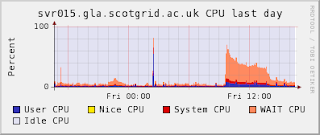
Unfortunately, within error, it doesn't seem to have actually improved our performance in HammerCloud tests by anything:

which is sad. The iowait still appears (but a bit reduced) when we're under heavy load - the sheer number of reads against the DB is enough to generate this by itself, even with indexes.
It's possible that we could reduce the iowait by increasing the InnoDB Buffer Pool setting for the server - at the moment, we have a 97% hit rate, so increasing that to 99% would cut our iowait by a factor of 3 - but it's not clear that the server is really the bottleneck.
Looking at the other loads:

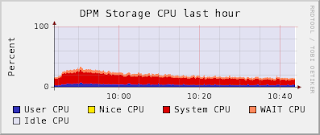

then it's not clear where the bottleneck is, really - the disks were slightly more stressed (there's a little bit of iowait visible at their peak CPU load), and it looks like something in the network bandwidth topped out at the same time (that peak is suspiciously flat at around 800MB/sec).
Further investigation needed, though!
It appeared at that point that the limiting factor on the performance of the DPM was the IOwait on the MySQL server, so we've been looking into ways to reduce that.
Turning on slow query logging showed that there were actually a couple of relatively common queries which were selecting on columns that weren't indexed in their tables, so we decided to try adding indexes to see if that improved matters. (While indexes add a small constant to the time taken to make a write, there's already quite a few implicit indexes on the tables, and writes are much less common than reads.)
The most common slow queries were of the form:
- select MAX(lifetime) from dpm_get_filereq where pfn = 'some pfn here'
and lifetime is not indexed in the dpm_db.dpm_get_filereq table (to be fair, there's no obvious reason why it should be, and the db is generally pretty well indexed on the whole).
- create index pfn_lifetime on dpm_get_filereq (pfn(255), lifetime);
deals with that.
Similarly, for the less frequent lookups for put requests we add:
- create index status_idx on dpm_put_filereq(status);
and
- create index stime_idx on dpm_req(stime);
and, finally, to optimise out the spikes we see each time monami tries to query the server, we add an index to the cns_db:
- create index usage_by_group Cns_file_metadata(gid, filesize);
(this also speeds up the responsiveness of Greig's DPM Monitoring webapp).
In order to do this without locking the request tables for ages, Stuart implemented a slightly hair-raising approach involving cloning the "static", older, parts of the tables, indexing the clone, and then stopping dpm briefly, and syncing the clone with the dynamic parts before switching the (indexed) clone for the (unindexed) original and restarting dpm.
This works surprisingly well - something like 95% of the request tables appear to be historical and static rather than referring to current requests.
(It also raises the question of if it would be easier just to delete the first 80% or so of all the request tables, keeping a suitable backup copy, of course.)
So, after all that, what was the result?
Well.
In normal use, the MySQL load is much smoother than before - we've removed pretty much all the load spikes from intensive infrequent queries, and the background load from get requests is roughly halved from previously.
This is visible by comparing the MySQL server loads during HammerCloud test 135 and the most recent test against Glasgow - HC 164:


Unfortunately, within error, it doesn't seem to have actually improved our performance in HammerCloud tests by anything:

which is sad. The iowait still appears (but a bit reduced) when we're under heavy load - the sheer number of reads against the DB is enough to generate this by itself, even with indexes.
It's possible that we could reduce the iowait by increasing the InnoDB Buffer Pool setting for the server - at the moment, we have a 97% hit rate, so increasing that to 99% would cut our iowait by a factor of 3 - but it's not clear that the server is really the bottleneck.
Looking at the other loads:


then it's not clear where the bottleneck is, really - the disks were slightly more stressed (there's a little bit of iowait visible at their peak CPU load), and it looks like something in the network bandwidth topped out at the same time (that peak is suspiciously flat at around 800MB/sec).
Further investigation needed, though!
Interactive Debugging on WNs
[Not strictly scotgrid, but figured the scotgrid blog has a higher readership than my personal ramblings]. How to get an interactive bash shell on the workernodes (with grid environment) to debug. Case in point, as part of ther certification of the SL5 x86_64 bit WN, I could lcg-cr fine on the command line, but not as a job.
WARNING - Trying this as a user without the site administrators assistance will probably lead to 'Bad Things' happening to your DN and the banned user list... You have been warned.
So - I wanted to get a shell to work out exactly what wasn't quite right.
On the Workernode:
1) install screen (yum install screen)
2) chmod 755 /var/run/screen
3) chmod +s /usr/bin/screen (yes, we know SUID is bad mmmkaaay.)
4) append to /etc/screenrc
multiuser on
acladd root
Then your jdl can simply invoke 'screen -dm'. root can then reattach to the session on the same workernode using screen -rx wnusername/pid... syntax, eg:
[root@vtb-generic-94 ~]# screen -r dteam013/
sh-3.2$ voms-proxy-info --all
subject : /DC=ch/DC=cern/OU=Organic Units/OU=Users/CN=aelwell/CN=671736/CN=Andrew Elwell/CN=proxy/CN=proxy/CN=limited proxy
tada!
Gotchas: Trying to be smart and put Executable = "/usr/bin/screen"; and Arguments = "-d -m"; doesn't help. Although the screen session launces as it should, the cleanup wipes all your proxy and other goodies.
Working with a noddy screen.sh input sandbox of
#!/bin/sh
screen -dm
sleep 3600
did the trick fine.
WARNING - Trying this as a user without the site administrators assistance will probably lead to 'Bad Things' happening to your DN and the banned user list... You have been warned.
So - I wanted to get a shell to work out exactly what wasn't quite right.
On the Workernode:
1) install screen (yum install screen)
2) chmod 755 /var/run/screen
3) chmod +s /usr/bin/screen (yes, we know SUID is bad mmmkaaay.)
4) append to /etc/screenrc
multiuser on
acladd root
Then your jdl can simply invoke 'screen -dm'. root can then reattach to the session on the same workernode using screen -rx wnusername/pid... syntax, eg:
[root@vtb-generic-94 ~]# screen -r dteam013/
sh-3.2$ voms-proxy-info --all
subject : /DC=ch/DC=cern/OU=Organic Units/OU=Users/CN=aelwell/CN=671736/CN=Andrew Elwell/CN=proxy/CN=proxy/CN=limited proxy
tada!
Gotchas: Trying to be smart and put Executable = "/usr/bin/screen"; and Arguments = "-d -m"; doesn't help. Although the screen session launces as it should, the cleanup wipes all your proxy and other goodies.
Working with a noddy screen.sh input sandbox of
#!/bin/sh
screen -dm
sleep 3600
did the trick fine.
Tuesday, February 24, 2009
the ce lives!
svr021 is back on-line and accepting jobs. The beefier hardware now includes 4 dual core 2.4 GHz CPU's with 8GbB of memory and a RAID 1 set-up. We had a pretty smooth rebuild process thanks to a development CE to test and cfengine to roll it out. So we now have VOMS and the local user-no-voms hack working on both with a shared gridmapdir for easier pool account tracking. SAM appears to be okay although we may have to fix some failing NGS specific INCA tests. These are failing as they are expecting specific pool account mappings that just aren't there any more.
Thursday, February 19, 2009
redundancy in grid services proves it worth
From about midway through 2008 there has been a second lcg-CE, svr026 at Glasgow. This has proved useful for dealing with intermittent failures through the course of normal operations. However, some time last year the original lcg-CE, svr021 started to seg fault when the VOMS plugin was activated. Therefore, VOMS was turned off and the second lcg-CE took on the role of offering VOMS mapping to group accounts whilst the original CE dealt with mapping local users to local accounts with no VOMS. So in an effort to fix svr021 and build a fully redundant system some changes have been scheduled. Namely, server rebuild of svr021 and NFS mounting of the gridmapdir to share it between all CE's. However, taking down key grid services in a running production cluster full of jobs is not a trivial matter. So here is an overview of the experience for our lcg-CE.
Of the tasks that we had to do the easiest by far was to NFS mount the gridmapdir (used to track the VOMS pool accounts). This was created on disk037 and a cron'd rsync set up from second lcg-CE, svr026 which had working VOMS. This allowed a mirror of the currently running gridmapdir to be created. After some testing on development and during a quiet moment the gridmapdir on svr026 was blown away and remounted from NFS. This was successuful as far as I could tell. For resilancy another rsync and a cron'd script was setup from the NFS to a backup dir on svr026 so that should the NFS fail. It will revert back to a local gridmapdir automatically. This will also be done on svr21 as part of the rebuild.
svr26 at this time although supporting VOMS did not support the "don't map local accounts to pool accounts" addition that svr021 had been retrofitted with. This was outlined here: http://scotgrid.blogspot.com/2008/02/to-voms-or-not-to-voms-that-is-question.html . This was applied to svr026. Again this was tested thoroughly on development and was applied successfully to production. So now svr026 was nearly in a state to become the primary lcg-CE. What it did not have was support for all the available queues at Glasgow. As historically some queues were shared and some were specific to svr021. This was fixed by re-running yaim on svr026 and setting the appropriate $QUEUES in the site-info.def. Having a development CE to test this was invaluable since the last time yaim had been run a CE was sometime last year and the behaviour of one of the functions this time round actually caused yaim to fail. With a fix in place svr026 now supported all queues.
This meant that svr021 was ready for draining. The documented procedure for draining a lcg-CE relies on disabling queues in the batch system, pbs in this case. However, in our case we have shared queues so disabling svr021's queues would have disabled svr026's. Not what we wanted at all. So a workaround was found to modify the gip plugin on svr021 to always set the CEStatus values to Draining. This was then picked up automatically by LDAP and our site posted svr021 as draining. This should have been enough if it were not for direct submission to a CE as GStat and other tools using LDAP to determine available resources checked the CEStatus and knocked out svr021 but custom JDL and Ganga scripts can just select a CE in the script. After some investigation with running jobs it became apparent that in fact many of the local ScotGrid users use the Grid in this way. Doh. So after some experimentation on development we found that you could remove the CE from the hosts.equiv file on the batch system even when there were running jobs. This effectively stopped submission to the CE dead in its tracks and rather handly allowed running jobs to finish successfully. The only other thing to remember to do was downtime the node in the GOCDB as SAM would start failing as we were no longer advertising or accepting jobs on our svr021 lcg-CE.
With svr021 now draining the last piece of the puzzle is to rebuild it but since we support 7 day queues at Glasgow its going to be a long wait. Once its drained the plan is to make sure we have our 90 days worth of logs, run APEL to publish our final results, rebuild, apply the local-novoms patch and mount the gridmapdir from the NFS share. All going well we should have two fully operational lcg-CE's by next week with no lost jobs in sight.
Conclusions
Grid service redundancy allowed our Glasgow cluster to operate for sometime in a semi-broken state without the immediate requirement for a rebuild.
Having a test/dev server with which to test changes before applying them prod was invaluable.
Running mirrored grid services to perform maintenance tasks is a perfect way to keep your cluster accessible and running during downtime.
7 Days is a long time to wait for a queue to drain!
Of the tasks that we had to do the easiest by far was to NFS mount the gridmapdir (used to track the VOMS pool accounts). This was created on disk037 and a cron'd rsync set up from second lcg-CE, svr026 which had working VOMS. This allowed a mirror of the currently running gridmapdir to be created. After some testing on development and during a quiet moment the gridmapdir on svr026 was blown away and remounted from NFS. This was successuful as far as I could tell. For resilancy another rsync and a cron'd script was setup from the NFS to a backup dir on svr026 so that should the NFS fail. It will revert back to a local gridmapdir automatically. This will also be done on svr21 as part of the rebuild.
svr26 at this time although supporting VOMS did not support the "don't map local accounts to pool accounts" addition that svr021 had been retrofitted with. This was outlined here: http://scotgrid.blogspot.com/2008/02/to-voms-or-not-to-voms-that-is-question.html . This was applied to svr026. Again this was tested thoroughly on development and was applied successfully to production. So now svr026 was nearly in a state to become the primary lcg-CE. What it did not have was support for all the available queues at Glasgow. As historically some queues were shared and some were specific to svr021. This was fixed by re-running yaim on svr026 and setting the appropriate $QUEUES in the site-info.def. Having a development CE to test this was invaluable since the last time yaim had been run a CE was sometime last year and the behaviour of one of the functions this time round actually caused yaim to fail. With a fix in place svr026 now supported all queues.
This meant that svr021 was ready for draining. The documented procedure for draining a lcg-CE relies on disabling queues in the batch system, pbs in this case. However, in our case we have shared queues so disabling svr021's queues would have disabled svr026's. Not what we wanted at all. So a workaround was found to modify the gip plugin on svr021 to always set the CEStatus values to Draining. This was then picked up automatically by LDAP and our site posted svr021 as draining. This should have been enough if it were not for direct submission to a CE as GStat and other tools using LDAP to determine available resources checked the CEStatus and knocked out svr021 but custom JDL and Ganga scripts can just select a CE in the script. After some investigation with running jobs it became apparent that in fact many of the local ScotGrid users use the Grid in this way. Doh. So after some experimentation on development we found that you could remove the CE from the hosts.equiv file on the batch system even when there were running jobs. This effectively stopped submission to the CE dead in its tracks and rather handly allowed running jobs to finish successfully. The only other thing to remember to do was downtime the node in the GOCDB as SAM would start failing as we were no longer advertising or accepting jobs on our svr021 lcg-CE.
With svr021 now draining the last piece of the puzzle is to rebuild it but since we support 7 day queues at Glasgow its going to be a long wait. Once its drained the plan is to make sure we have our 90 days worth of logs, run APEL to publish our final results, rebuild, apply the local-novoms patch and mount the gridmapdir from the NFS share. All going well we should have two fully operational lcg-CE's by next week with no lost jobs in sight.
Conclusions
Grid service redundancy allowed our Glasgow cluster to operate for sometime in a semi-broken state without the immediate requirement for a rebuild.
Having a test/dev server with which to test changes before applying them prod was invaluable.
Running mirrored grid services to perform maintenance tasks is a perfect way to keep your cluster accessible and running during downtime.
7 Days is a long time to wait for a queue to drain!
Wednesday, February 18, 2009
Draining an lcg-CE
Well draining an lcg-CE should be fairly straightforward if you have n CE's and n separate queues. However, in Glasgow's case we have 2 CE's that share queues. So it is just not as simple as running
After much playing around, breaking the site bdii and getting Graeme's help to fix it, it appears that the only way I can see to do this is to hack with gip plugins on the CE you wish to drain. The plugin in question appeared to be
This script contains the dynamic qstat queries to find out the state of the queues. So in order to drain a specific CE where queues are shared one possible solution is to hack this file to change the line:
qmgr -c 'set queue enabled=false' on torque/maui as this would have put both CE's into drain!After much playing around, breaking the site bdii and getting Graeme's help to fix it, it appears that the only way I can see to do this is to hack with gip plugins on the CE you wish to drain. The plugin in question appeared to be
/opt/glite/etc/gip/plugin/glite-info-dynamic-ce which subsequetly called /opt/lcg/libexec/lcg-info-dynamic-pbsThis script contains the dynamic qstat queries to find out the state of the queues. So in order to drain a specific CE where queues are shared one possible solution is to hack this file to change the line:
push @output, "GlueCEStateStatus: $Status\n"; to force drain with push @output, "GlueCEStateStatus: Draining\n";
This worked as the LDAP query to svr027 now showed 4 queues in drain:
svr021:/opt/glite/etc/gip/ldif# ldapsearch -xLLL -b mds-vo-name=UKI-SCOTGRID-GLASGOW,o=grid -p 2170 -h svr027.gla.scotgrid.ac.uk | grep Dra
GlueCEStateStatus: Draining
GlueCEStateStatus: Draining
GlueCEStateStatus: Draining
GlueCEStateStatus: Draining
and glite-wms-job-list-match does not display the queues for use through the WMS:
-bash-3.00$ glite-wms-job-list-match -a --vo vo.scotgrid.ac.uk hello.jdl
Connecting to the service https://svr022.gla.scotgrid.ac.uk:7443/glite_wms_wmproxy_server
==========================================================================
COMPUTING ELEMENT IDs LIST
The following CE(s) matching your job requirements have been found:
*CEId*
....
- svr026.gla.scotgrid.ac.uk:2119/jobmanager-lcgpbs-q1d
- svr026.gla.scotgrid.ac.uk:2119/jobmanager-lcgpbs-q2d
- svr026.gla.scotgrid.ac.uk:2119/jobmanager-lcgpbs-q30m
- svr026.gla.scotgrid.ac.uk:2119/jobmanager-lcgpbs-q6h
....
==========================================================================
However, this does not stop direct job submission via Globus. After much playing around we found that if you edit the hosts.equiv file on Torque. You can stop job submission from the desired CE but still allow running jobs to finish. Handy that - its just what we need as we were seeing some users still using direct submission even though we were trying to drain them.
Thursday, February 12, 2009
HammerCloud 135---A Load Shared is a Load Halved, to a point.
We performed our splitting of the DPM across two hosts just in time for the most recent HammerCloud test on UK sites:
http://gangarobot.cern.ch/st/test_135/
So, we already have some metrics to compare the old arrangement with the new.
For reference, Graeme blogged about the last big HammerCloud UK test here, where we were getting an event rate of around 10Hz, at the cost of the DPM head node running at an unsustainable load.
Since then, a couple of Hammerclouds have come by, generally coincident with ATLAS production and other stresses on the DPM, and it has just utterly failed to cope.
After our surgery, we did a lot better:


with an event rate of about 14 Hz, a 50% improvement, almost.

and, the load on the DPM head node was very much more acceptable, given the increased power of the hardware:


However, we're still not close to maxing out the pool nodes:

probably because we've hit another, higher, performance bottleneck on the new svr015 "MySQL server" machine:

that orangish stuff is the CPU in I/O Wait state, waiting for seeks within the DB.
We're currently looking at ways of tuning MySQL, or the disk, to improve this performance, since it looks like there's another 30 to 40% of performance there, at least.
Some ideas we've had include splitting the dpm_db and cns_db across different filesystems (since they have very different access patterns for this kind of use), tweaking MySQL settings (although they look generally fine...), or even getting Faster Disks. Roll on solid state drives, we say!
http://gangarobot.cern.ch/st/test_135/
So, we already have some metrics to compare the old arrangement with the new.
For reference, Graeme blogged about the last big HammerCloud UK test here, where we were getting an event rate of around 10Hz, at the cost of the DPM head node running at an unsustainable load.
Since then, a couple of Hammerclouds have come by, generally coincident with ATLAS production and other stresses on the DPM, and it has just utterly failed to cope.
After our surgery, we did a lot better:


with an event rate of about 14 Hz, a 50% improvement, almost.

and, the load on the DPM head node was very much more acceptable, given the increased power of the hardware:


However, we're still not close to maxing out the pool nodes:

probably because we've hit another, higher, performance bottleneck on the new svr015 "MySQL server" machine:

that orangish stuff is the CPU in I/O Wait state, waiting for seeks within the DB.
We're currently looking at ways of tuning MySQL, or the disk, to improve this performance, since it looks like there's another 30 to 40% of performance there, at least.
Some ideas we've had include splitting the dpm_db and cns_db across different filesystems (since they have very different access patterns for this kind of use), tweaking MySQL settings (although they look generally fine...), or even getting Faster Disks. Roll on solid state drives, we say!
DPM improvements!
Ever since ATLAS analysis has been enabled at Tier 2 sites (and the relevant sheaves of AOD files have arrived at our DPM), the Glasgow DPM has been looking increasingly strained.
This first became obvious during the HammerCloud tests for analysis in December, but over January it became increasingly clear that the access patterns of normal analysis jobs, en-mass, are quite enough to make the storage unreliable for other users.
In particular, we had one period where chunks of ATLAS production work died because the DPM was so overloaded.
Looking at the DPM during these periods, it looked like it was a combination of I/O waits and, more significantly, the dpm and srmv2.2 daemons maxing out the CPU.
Last Friday, we tried "optimising" the DPM MySQL backend by taking the dpm offline, and then exporting, dropping, and reimporting the dpm_db and cns_db databases. The InnoDB engine has an issue that it sometimes becomes fragmented, increasing the size of the physical DB file and reducing performance - reimporting from a logical backup usually reduces this fragmentation in the restored DB.
Unfortunately, this reimporting process took far longer than we anticipated---on the order of 5 hours!---and, in the end, resulted in a distinctly unimpressive 10% size reduction in the physical DB.
After bringing things back up again, however, it became clear that the performance hadn't changed much, and that it was most likely that we just needed to give the DPM processes more room to breathe.
Our DPM is considerably underspecced compared to our new worker nodes (which are lovely 8-core machines, at higher clock rates), but, of course, has the benefit of RAIDed storage to give our DB a bit more reliability. So, we decided to take the big step of splitting the DPM across two nodes - the old DPM being moved to a role as "MySQL backend server", and the "new" DPM being a repurposed worker node hosting all the DPM services.
Thanks to cfengine, and the arcane workings of YPF, it isn't too hard to make a node into any other kind of node that we want---the tricky bit, in this case, is swapping the hostnames, so that the "new" DPM still gets to be svr018, while the old DPM gets moved to svr015 (and also hosts our DPM monitoring stuff now).
The new svr018 used to be node310 - the last node in our pool of new worker nodes - which I'd previously taken offline and allowed to drain over the weekend in anticipation of this.
However, thanks to some synchronized administration by Mike and myself, things seemed to go relatively smoothly with the move on Monday, with only an hour of downtime and barely a failed job in sight, despite being full of ATLAS production at the time.
It looks like this also improved our HammerCloud performance, about which more in a later post.
This first became obvious during the HammerCloud tests for analysis in December, but over January it became increasingly clear that the access patterns of normal analysis jobs, en-mass, are quite enough to make the storage unreliable for other users.
In particular, we had one period where chunks of ATLAS production work died because the DPM was so overloaded.
Looking at the DPM during these periods, it looked like it was a combination of I/O waits and, more significantly, the dpm and srmv2.2 daemons maxing out the CPU.
Last Friday, we tried "optimising" the DPM MySQL backend by taking the dpm offline, and then exporting, dropping, and reimporting the dpm_db and cns_db databases. The InnoDB engine has an issue that it sometimes becomes fragmented, increasing the size of the physical DB file and reducing performance - reimporting from a logical backup usually reduces this fragmentation in the restored DB.
Unfortunately, this reimporting process took far longer than we anticipated---on the order of 5 hours!---and, in the end, resulted in a distinctly unimpressive 10% size reduction in the physical DB.
After bringing things back up again, however, it became clear that the performance hadn't changed much, and that it was most likely that we just needed to give the DPM processes more room to breathe.
Our DPM is considerably underspecced compared to our new worker nodes (which are lovely 8-core machines, at higher clock rates), but, of course, has the benefit of RAIDed storage to give our DB a bit more reliability. So, we decided to take the big step of splitting the DPM across two nodes - the old DPM being moved to a role as "MySQL backend server", and the "new" DPM being a repurposed worker node hosting all the DPM services.
Thanks to cfengine, and the arcane workings of YPF, it isn't too hard to make a node into any other kind of node that we want---the tricky bit, in this case, is swapping the hostnames, so that the "new" DPM still gets to be svr018, while the old DPM gets moved to svr015 (and also hosts our DPM monitoring stuff now).
The new svr018 used to be node310 - the last node in our pool of new worker nodes - which I'd previously taken offline and allowed to drain over the weekend in anticipation of this.
However, thanks to some synchronized administration by Mike and myself, things seemed to go relatively smoothly with the move on Monday, with only an hour of downtime and barely a failed job in sight, despite being full of ATLAS production at the time.
It looks like this also improved our HammerCloud performance, about which more in a later post.
Wednesday, January 28, 2009
WMS purging fixed...
Ever since we've had our WMSs installed at Glasgow, we've observed that job purging appears broken. What's supposed to happen is that, when a user retrieves their job's output, the associated sandbox on the WMS is cleaned out. However, users of the ScotGrid WMSs were seeing:
bash-3.00$ glite-wms-job-output https://svr023.gla.scotgrid.ac.uk:9000/IfNak9XhD80im39v5JVGNw
Connecting to the service https://svr023.gla.scotgrid.ac.uk:7443/glite_wms_wmproxy_server
Warning - JobPurging not allowed
(The Operation is not allowed: Unable to complete job purge)
This ticket was raised and, eventually, we figured out that the WMSs need DN entries in
/C=UK/O=eScience/OU=Glasgow/L=Compserv/CN=svr022.gla.scotgrid.ac.uk/emailAddress=grid-certificate@physics.gla.ac.uk
/C=UK/O=eScience/OU=Glasgow/L=Compserv/CN=svr022.gla.scotgrid.ac.uk/Email=grid-certificate@physics.gla.ac.uk
/C=UK/O=eScience/OU=Glasgow/L=Compserv/CN=svr023.gla.scotgrid.ac.uk/emailAddress=grid-certificate@physics.gla.ac.uk
/C=UK/O=eScience/OU=Glasgow/L=Compserv/CN=svr023.gla.scotgrid.ac.uk/Email=grid-certificate@physics.gla.ac.uk
(compare emailAddress with Email)
Anyway, with these changes made (and a
-bash-3.00$ glite-wms-job-output https://svr022.gla.scotgrid.ac.uk:9000/adlQbeXjpyURB3qpt-NQAA
Connecting to the service https://svr023.gla.scotgrid.ac.uk:7443/glite_wms_wmproxy_server
================================================================================
JOB GET OUTPUT OUTCOME
Output sandbox files for the job:
https://svr022.gla.scotgrid.ac.uk:9000/adlQbeXjpyURB3qpt-NQAA
have been successfully retrieved and stored in the directory:
/tmp/jobOutput/mkenyon_adlQbeXjpyURB3qpt-NQAA
================================================================================
bash-3.00$ glite-wms-job-output https://svr023.gla.scotgrid.ac.uk:9000/IfNak9XhD80im39v5JVGNw
Connecting to the service https://svr023.gla.scotgrid.ac.uk:7443/glite_wms_wmproxy_server
Warning - JobPurging not allowed
(The Operation is not allowed: Unable to complete job purge)
This ticket was raised and, eventually, we figured out that the WMSs need DN entries in
/opt/glite/etc/LB-super-users relating to both WMSs. In addition to that, there's a bug which requires the DNs to be present in two slightly differing formats:/C=UK/O=eScience/OU=Glasgow/L=Compserv/CN=svr022.gla.scotgrid.ac.uk/emailAddress=grid-certificate@physics.gla.ac.uk
/C=UK/O=eScience/OU=Glasgow/L=Compserv/CN=svr022.gla.scotgrid.ac.uk/Email=grid-certificate@physics.gla.ac.uk
/C=UK/O=eScience/OU=Glasgow/L=Compserv/CN=svr023.gla.scotgrid.ac.uk/emailAddress=grid-certificate@physics.gla.ac.uk
/C=UK/O=eScience/OU=Glasgow/L=Compserv/CN=svr023.gla.scotgrid.ac.uk/Email=grid-certificate@physics.gla.ac.uk
(compare emailAddress with Email)
Anyway, with these changes made (and a
service gLite restart), the WMSs will now purge job output:-bash-3.00$ glite-wms-job-output https://svr022.gla.scotgrid.ac.uk:9000/adlQbeXjpyURB3qpt-NQAA
Connecting to the service https://svr023.gla.scotgrid.ac.uk:7443/glite_wms_wmproxy_server
================================================================================
JOB GET OUTPUT OUTCOME
Output sandbox files for the job:
https://svr022.gla.scotgrid.ac.uk:9000/adlQbeXjpyURB3qpt-NQAA
have been successfully retrieved and stored in the directory:
/tmp/jobOutput/mkenyon_adlQbeXjpyURB3qpt-NQAA
================================================================================
Wednesday, January 21, 2009
New Durham Cluster Provides 1M SI2k

After a few teething problems with power and cooling, the new Durham cluster has finally passed the acceptance testing phase of the tender and is in full operation.
The new cluster now provides 1 Million SI2k - greater than a factor of 10 increase on the old cluster! CPU usage by the pheno VO has increased and we have seen jobs from a number of VOs (atlas, lhcb, cms, biomed, ngs, snemo etc) - though work has still to be done to ensure atlas and lhcb production jobs are running successfully.
The new cluster consists of 3 new front end machines and 84 new worker nodes. Using twin-servers, two machines can be packed in a 1U server, providing huge CPU power in a small area. A total of 672 job slots are available to provide the 1 MSpecInts - with each worker node consisting of:
* Dual processor, quad core providing 8 cores per machine.
* Low-power Xeon L5430 for greater power efficiency and lower running costs.
* 16GB RAM per machine, providing 2GB per core.
* Dual bonded gigabit ethernet
* 0.5TB Hard Disk
* Installed with the Scientific Linux 4.7 OS
The cluster also proves 3 disk servers providing a total of approx 30TB of usable grid storage.
The management and functionality of the cluster has also improved dramatically with many front end machines moved to virtual machines. More information on this will follow in a separate blog.
Subscribe to:
Posts (Atom)